
Amazon Echo List Of Alexa Commands: Ultimate Guide to Master Voice Control
Are you ready to get the most out of your Amazon Echo? Knowing the right Alexa commands can transform your device from just a speaker into a powerful assistant that makes your life easier.
Whether you want to control your smart home, play music, or get quick answers, the right commands put everything at your fingertips. Keep reading to discover a complete list of Alexa commands that will help you unlock your Echo’s full potential and make your daily routine smoother than ever.
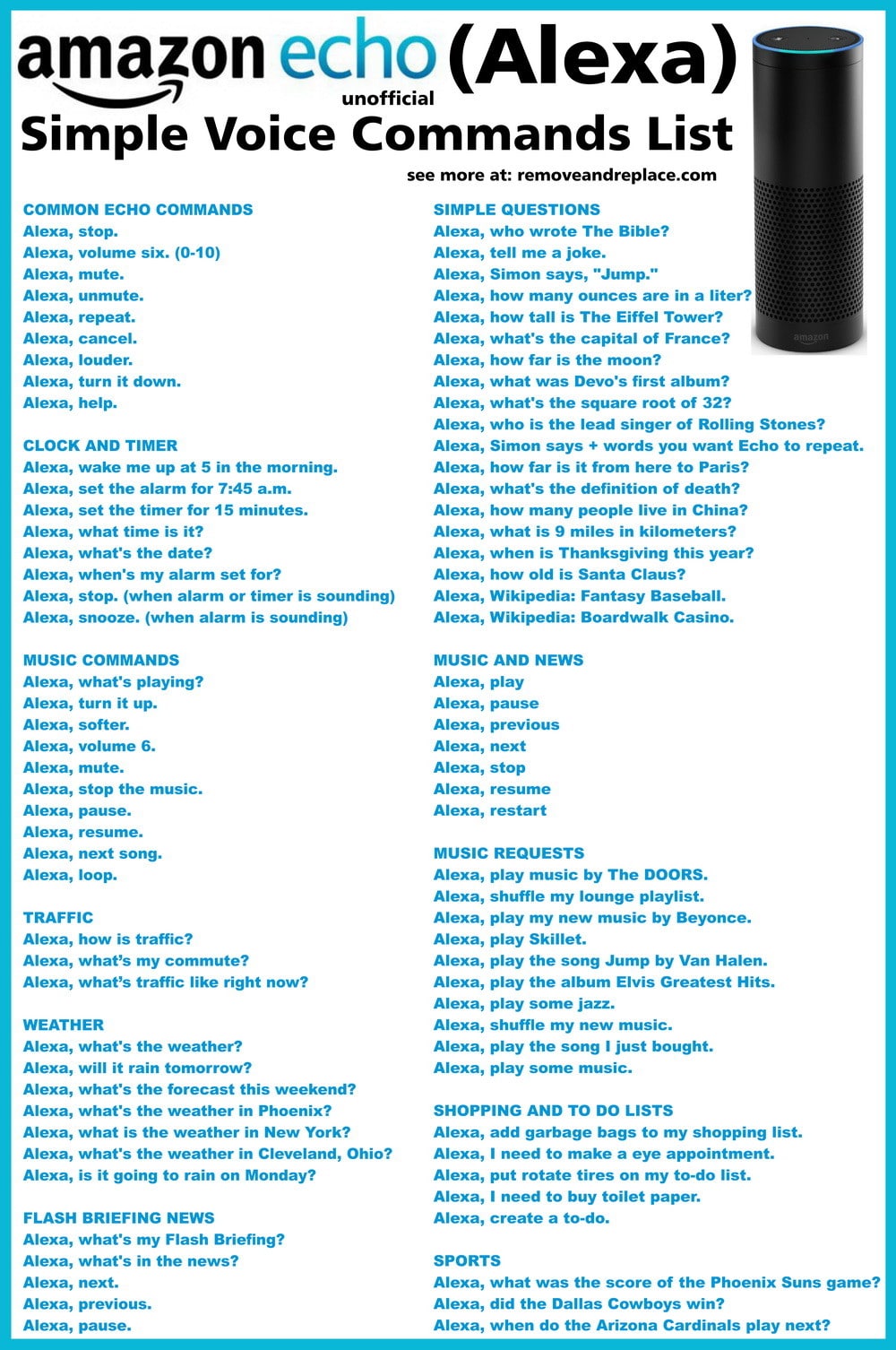
Credit: removeandreplace.com
Getting Started With Alexa
Getting started with Alexa is simple and fun. Your Amazon Echo device lets you control smart home gadgets, ask questions, play music, and more. This section helps you set up your Echo, activate voice control, and customize Alexa to fit your needs. Follow these easy steps to start using Alexa today.
Setting Up Your Echo Device
First, plug in your Echo device near a power outlet. Download the Amazon Alexa app on your smartphone. Open the app and sign in with your Amazon account. Follow the on-screen instructions to connect your Echo to Wi-Fi. Once connected, your device is ready to use.
Activating Alexa Voice Control
To talk to Alexa, say the wake word “Alexa.” You can change this word in the app if needed. Try simple commands like “Alexa, what’s the weather?” or “Alexa, play music.” Alexa listens for your voice and responds quickly. Speak clearly for best results.
Customizing Alexa Settings
Open the Alexa app to adjust settings. Set your preferred language and time zone. Choose your favorite music services for easy access. Manage smart home devices connected to Alexa. You can also set routines to automate daily tasks. Personalize Alexa to match your lifestyle.
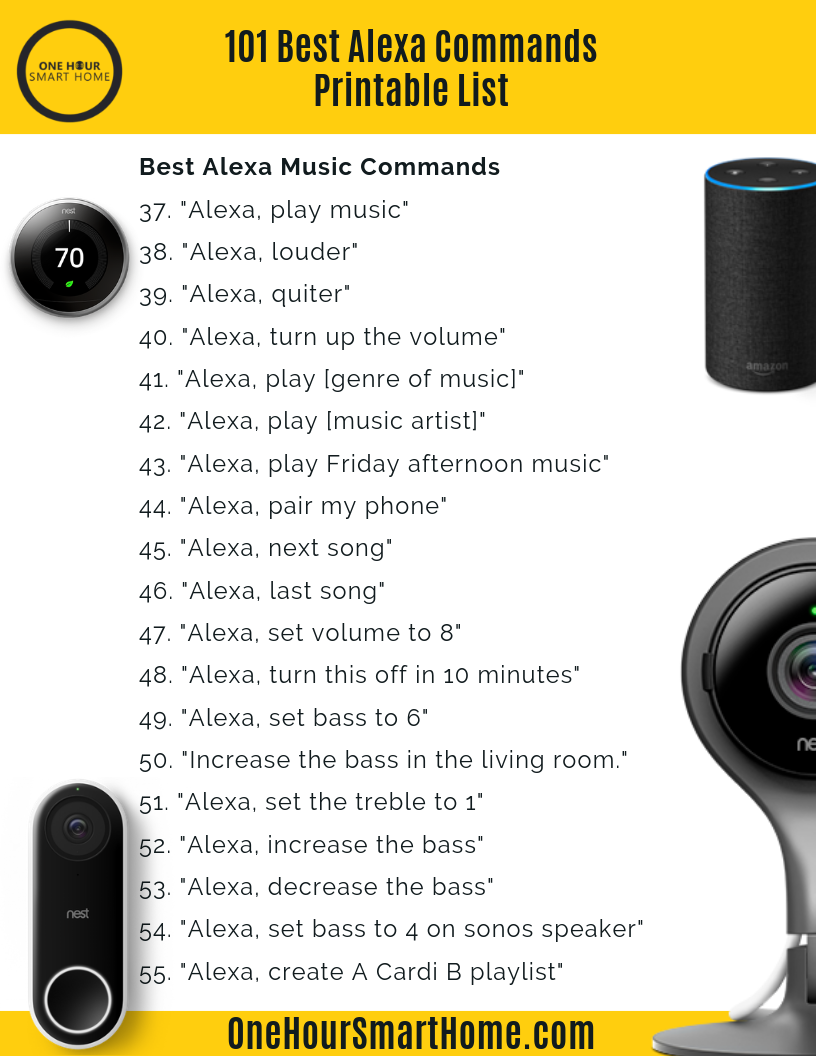
Credit: fincalacoronilla.com
Basic Alexa Commands
Basic Alexa commands help you get started with your Amazon Echo. These commands make daily tasks simple and quick. Alexa listens and responds to your voice. You do not need to press any buttons. Just say the command, and Alexa will do the rest.
These commands cover many areas like timers, alarms, weather updates, news, music, and podcasts. They are easy to remember and use. They save time and make life easier.
Managing Timers And Alarms
Alexa can set timers and alarms with simple commands. Say “Alexa, set a timer for 10 minutes” to start a countdown. You can also ask, “Alexa, how much time is left on my timer?”
For alarms, say “Alexa, set an alarm for 7 AM.” Alexa will wake you up on time. You can also say, “Alexa, cancel my alarm” to stop it.
Checking Weather And News
Get quick weather updates by asking, “Alexa, what’s the weather today?” Alexa will tell you the temperature and conditions. It works for your current location or any city.
Stay informed with news briefings. Say, “Alexa, what is the news?” Alexa reads the latest headlines. Choose your favorite news source in the Alexa app for personalized updates.
Playing Music And Podcasts
Alexa can play songs, playlists, and podcasts from popular services. Say, “Alexa, play pop music” to hear songs in that genre. You can also request specific artists or songs.
For podcasts, say, “Alexa, play the latest episode of [podcast name].” Alexa streams it right away. Control playback with commands like “pause,” “skip,” or “resume.”
Smart Home Control
Amazon Echo makes managing your smart home simple and hands-free. Alexa listens to your voice commands and controls many devices. This brings comfort and saves time every day.
Smart home control with Alexa lets you adjust settings without moving. Your voice controls lights, thermostats, security, and appliances. The Echo acts as a hub for your smart devices.
Controlling Lights And Thermostats
Change your home’s lighting by saying simple commands. Turn lights on or off in any room. Dim lights to set a cozy mood. Alexa can also change light colors if your bulbs support it.
Adjust thermostats quickly with voice commands. Set the temperature higher or lower to stay comfortable. Schedule heating or cooling without touching a device. Save energy by controlling settings easily.
Managing Security Systems
Keep your home safe with Alexa’s control over security systems. Arm or disarm alarms by speaking to your Echo. Check if doors and windows are locked. View live video from security cameras on compatible devices.
Receive alerts about unusual activity through Alexa. Control smart locks to let in family or guests. Manage your home’s security without needing to use apps.
Operating Smart Appliances
Control smart appliances with simple voice commands. Start or stop your robot vacuum cleaner. Turn on coffee makers before you get out of bed. Manage smart plugs to power devices on or off.
Alexa helps run kitchen gadgets and other appliances easily. Save time by speaking instead of using buttons. Your smart home becomes more convenient and efficient.
Communication Features
Amazon Echo offers many communication features that make staying in touch easy. Alexa helps you connect with friends and family using simple voice commands. These features work hands-free, saving time and effort. You can call, message, or send quick announcements around your home. Alexa also helps manage your day with routines and reminders. These tools keep your communication smooth and organized.
Making Calls And Sending Messages
Alexa lets you call any contact on your phone or Echo device. Just say, “Alexa, call Mom” or “Alexa, call John’s mobile.” You can send voice or text messages too. Say, “Alexa, send a message to Lisa,” and speak your message. Alexa delivers it instantly. No need to pick up your phone or type.
Using Drop In And Announcements
Drop In lets you connect instantly with other Echo devices. Say, “Alexa, drop in on the kitchen,” to start a conversation. It works like an intercom inside your home. Announcements send a voice message to all your Echo devices. Use commands like, “Alexa, announce dinner is ready.” Everyone hears the message at once. Great for quick updates or calls across rooms.
Setting Up Routines And Reminders
Routines automate daily tasks with your voice. Say, “Alexa, good morning,” to hear news, weather, and reminders. You can create custom routines for any activity. Reminders help you remember important tasks. Tell Alexa, “Remind me to take medicine at 8 PM.” Alexa will alert you on time. These features keep your day on track effortlessly.
Entertainment And Fun
Amazon Echo offers many ways to enjoy entertainment and fun. Alexa makes it easy to play games, listen to stories, and explore new skills. These features keep your day lively and exciting. You can use simple voice commands to start playing or listening instantly.
Playing Games And Quizzes
Alexa has many games and quizzes for all ages. Say “Alexa, start a quiz” to test your knowledge. You can play word games, trivia, or even puzzles. These games are great for family time or solo fun. Alexa keeps score and guides you through each game.
Listening To Audiobooks
Enjoy your favorite books hands-free with Alexa. Just say, “Alexa, read my audiobook.” Alexa works with Audible and other services. You can pause, rewind, or skip chapters with voice commands. Audiobooks let you relax and enjoy stories anytime.
Accessing Alexa Skills
Alexa Skills add new functions to your Echo device. Find skills for music, stories, games, and more. Say, “Alexa, open [skill name]” to start using them. Skills make your Echo more fun and useful. Try different skills to find what you like best.
Productivity And Information
Amazon Echo helps you stay organized and informed. Alexa offers many commands to boost your daily productivity. You can manage tasks, check facts, and get directions quickly. This section covers key Alexa commands for productivity and information.
Managing Calendars And To-do Lists
Ask Alexa to add events to your calendar. Say, “Alexa, add a meeting at 3 PM tomorrow.” She can remind you about important tasks. Try, “Alexa, what’s on my calendar today?” Create to-do lists easily. Use commands like, “Alexa, add milk to my shopping list.” This keeps your plans clear and simple.
Getting Traffic And Directions
Alexa provides real-time traffic updates. Say, “Alexa, how is traffic to work?” Get the fastest route instantly. Ask, “Alexa, give me directions to the nearest gas station.” This saves time and helps avoid traffic jams. Perfect for daily commutes or trips.
Asking For Facts And Translations
Need quick facts? Ask Alexa any question. For example, “Alexa, who is the president of France?” She gives clear and brief answers. Alexa also translates words and phrases. Say, “Alexa, how do you say ‘hello’ in Spanish?” This helps with language learning and travel.
Advanced Alexa Tips
Advanced Alexa tips help you get more from your Amazon Echo. These tips let you do new things beyond basic commands. You can create your own commands, use Alexa with your family, and fix common problems quickly. This section guides you through these useful features.
Creating Custom Commands
Custom commands make Alexa respond the way you want. Use the Alexa app to create routines. Routines let you combine actions with one phrase. For example, say “Good night” to turn off lights and play soft music. Personalize Alexa to fit your daily habits easily.
Using Alexa With Multiple Users
Amazon Echo works with many people in one home. Each user can have a voice profile. Alexa recognizes who is speaking and gives personalized answers. This helps with calendars, music, and shopping lists. Set up voice profiles in the Alexa app for each family member.
Troubleshooting Common Issues
Sometimes Alexa may not hear you or respond well. Check your internet connection first. Restart your Echo device if Alexa is slow or unresponsive. Make sure the microphone is on and not blocked. Update the Alexa app to fix bugs and improve performance.

Credit: bcccbarcelona.com
Frequently Asked Questions
What Are The Basic Amazon Echo Alexa Commands?
Basic Alexa commands include asking for weather, setting alarms, playing music, and controlling smart home devices. These commands help with daily tasks using simple voice prompts. Just say “Alexa” followed by your request.
How Can I Control Smart Devices With Alexa?
Alexa controls smart devices like lights, plugs, and thermostats using voice commands. You can say, “Alexa, turn on the living room light” to manage your home easily. Make sure your devices are compatible and connected.
Can Alexa Help With Reminders And Calendar Events?
Yes, Alexa can set reminders and add calendar events quickly. Just say, “Alexa, remind me to call John at 3 PM” or “Add meeting to my calendar. ” Alexa helps keep your schedule organized with simple commands.
What Fun Or Entertainment Commands Work On Amazon Echo?
Alexa can tell jokes, play games, and stream music or audiobooks. Try saying, “Alexa, tell me a joke” or “Play relaxing music. ” It’s a great way to enjoy free time hands-free.
Conclusion
Amazon Echo and Alexa commands make daily tasks easier. You can ask Alexa to play music, set alarms, or check the weather. These simple commands save time and help stay organized. Try different commands to see what works best for you.
Alexa learns and improves with use, becoming more helpful every day. Enjoy the convenience Alexa brings to your home and routine. Exploring Alexa commands opens new ways to use your device. Keep experimenting and find what fits your needs.

Ismail Hossain is the founder of Law Advised. He is an Divorce, Separation, marriage lawyer. Follow him.