What Is E File Tax Return The 2026 Expert Guide
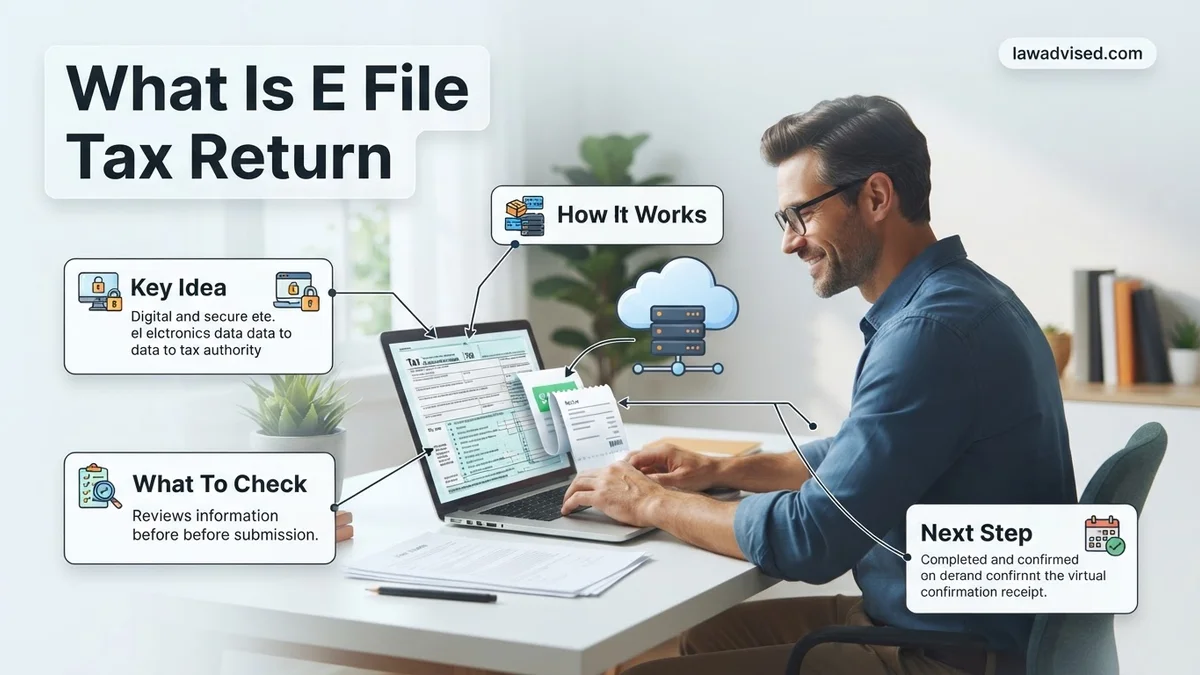
An e-file tax return is the digital submission of your federal and state tax documents securely over the internet directly to tax agencies. Today, electronic filing is the gold standard because it drastically reduces human error, speeds up processing times, and delivers refunds much faster than traditional paper mail.
An e-file tax return is the process of submitting your federal and state tax documents directly to the IRS and state agencies securely over the internet. Instead of printing forms, writing in your numbers by hand, and mailing a physical packet through the postal service, e-filing transmits your encrypted financial data straight to government servers.
Today, e-filing is the gold standard for tax submission. Navigating tax season in 2026 requires understanding this digital-first approach because paper filing has become largely obsolete for fast, secure refunds. When you choose to e-file, you drastically reduce errors, bypass mail delays, and get your money back in days rather than months.
Key Takeaways
- E-filing means transmitting your completed tax return securely over the internet to the IRS.
- It is the modern, standard method recommended by tax authorities over paper filing.
- Built-in software math checks significantly reduce common calculation errors.
- Direct deposit combined with e-filing yields the fastest possible tax refund.
- You receive an electronic confirmation almost instantly after the IRS accepts your return.
What Causes Processing Delays With Traditional Paper Tax Returns
Submitting your taxes on paper creates massive bottlenecks for both you and the IRS. While paper returns still exist, they are inefficient and prone to prolonged processing times.
The Manual Data Entry Bottleneck
When you mail a paper tax return to the IRS, an agency employee or optical scanner must manually transcribe every single number and name into their digital database. This manual entry invites human error. If a processor misreads your handwriting, your return gets flagged for review, halting your refund for weeks or months.
The Pitfalls of Physical Transit and Storage
Paper returns travel through multiple postal sorting facilities before sitting in massive IRS intake centers. This creates several distinct disadvantages:
- Physical damage or loss of documents during transit
- Vulnerability to mail theft or compromised personal data
- Months-long backlogs during peak 2026 filing periods
- Zero real-time tracking to confirm the IRS actually received your paperwork
How to E File Your Tax Return Step-by-Step
Transitioning from paper to digital is straightforward. The entire ecosystem is designed to guide you through your financial data without requiring a degree in accounting.
Choosing Your E-Filing Method
You have three primary avenues to submit your e-file tax return in 2026, depending on your comfort level and financial situation:
- Commercial Tax Software: Popular consumer programs walk you through interviews, automatically inputting your W-2s and 1099s.
- IRS Free File: If your adjusted gross income falls below specific program thresholds, you can use brand-name software at zero cost.
- Certified Tax Professionals: CPAs and authorized Enrollee Agents use professional-grade software to securely e-file on your behalf.
The Electronic Transmission Process
Once your software or preparer has all your data, the actual submission happens in seconds. The software formats your return into an XML file, encrypts your sensitive Social Security numbers and bank details, and pushes it through a secure transmission protocol directly to the IRS. Within 24 to 48 hours, you will receive an electronic acknowledgment receipt proving the government accepted your return.
What If Your E-Filed Tax Return Gets Rejected
An e-filed tax return rejection is stressful, but it does not mean your return is permanently lost or invalid. According to IRS compliance data, electronic returns are rejected primarily due to mismatched Social Security numbers, incorrect prior-year Adjusted Gross Income (AGI) figures, or simple data entry typos. When the IRS or your software provider flags an error, they issue a specific rejection code to guide your next steps.
Resolving a rejected electronic return requires a methodical correction process. Do not panic, and follow these technical steps to fix the issue successfully.
Steps to Correct and Resubmit Your Rejected Return
- Identify the rejection code: Log into your tax software account or check your email notification to find the specific error code provided by the IRS.
- Review the problematic data field: Compare the information entered on your digital form against your physical W-2s, 1099s, and last year’s tax transcript.
- Correct the error in your software: Update the incorrect field, such as a misspelled dependent name or an inaccurate prior-year AGI amount.
- Re-sign and resubmit: Most software platforms allow you to transmit the corrected return electronically at no additional charge.
Best Practices to Ensure Secure Electronic Tax Submission
Filing your taxes electronically offers unmatched speed, but protecting your financial data is paramount. Cybersecurity experts and the IRS Security Summit emphasize that modern tax software employs robust encryption standards, including 256-bit SSL technology. However, user-end security remains a critical vulnerability during the electronic submission process.
Implementing strong digital hygiene safeguards your personal information from identity theft and fraudulent filings. Adopting rigorous protocols ensures your sensitive tax data transmits securely to federal and state agencies in 2026.
Essential Security Protocols for E-Filing
- Enable multi-factor authentication (MFA): Require a secondary verification code sent via text message or authenticator app every time you access your tax software account.
- Avoid public Wi-Fi networks: Transmit your sensitive tax documents exclusively over a secure home network or a trusted, password-protected connection.
- Verify IRS-authorized providers: Only utilize software platforms vetted and approved by the IRS Free File program or recognized industry leaders.
- Maintain updated software: Ensure your operating system and web browsers run the latest security patches before initiating your electronic filing.
What If It Still Doesn’t Work?
If your e-filed tax return continues to face persistent rejections or technical glitches that software troubleshooting cannot resolve, alternative measures are necessary. According to IRS guidelines, persistent digital rejections—often caused by identity theft flags or duplicate SSN submissions—require manual intervention.
Consider these fallback steps when electronic submission fails completely:
- Print and mail your return: Physically sign, date, and mail a paper tax return to the appropriate IRS processing center, noting that paper filings extend refund timelines to six to eight weeks.
- Request an IRS Identity Protection (IP) PIN: Obtain a six-digit security number from the IRS to verify your identity and override persistent electronic rejection codes.
- Consult a certified public accountant (CPA): Engage a licensed tax professional to diagnose complex formatting or systemic transmission errors.
- Budget for professional services: Hiring a CPA or enrolled agent for complex error resolution typically costs between $200 and $500 depending on the complexity of the return.
Conclusion
Understanding what an e-file tax return is empowers taxpayers to complete their annual filing obligations securely, efficiently, and accurately. By utilizing approved digital software, verifying key identification numbers, and adhering to strict cybersecurity practices, filers can minimize errors and accelerate their refunds. According to verified research and expert sources from the IRS, electronic submission remains the gold standard for accuracy and processing speed. Take your next actionable step today by gathering your financial documents and selecting a trusted, IRS-authorized e-file provider for the 2026 tax season.
❓ Frequently Asked Questions
What is an e file tax return and how does it differ from paper filing?
An e-file tax return is transmitted digitally via secure software, whereas paper filing requires physically mailing printed forms. Digital submission eliminates transit delays and manual data entry errors by IRS personnel.
Can I e-file my taxes for free in 2026?
Yes, eligible taxpayers can use IRS Free File for guided tax software options if their adjusted gross income falls below specific limits. Additionally, many commercial tax preparation platforms offer free filing for simple federal and state returns.
How do I know if the IRS received my e-filed tax return?
Once your return is transmitted, the software provider or tax professional will send you an acknowledgment confirmation. You can also track the status using the official IRS ‘Where’s My Refund?’ tool 24 hours after acceptance.
What happens if my e-filed tax return is rejected?
If your return is rejected, the IRS or your tax software will provide a specific rejection code and error explanation. You simply need to correct the mistake—such as an incorrect PIN or missing W-2 data—and resubmit the return for free.
How fast will I get my refund if I e-file?
Taxpayers who e-file and choose direct deposit typically receive their refunds within 21 days, and often much sooner. Paper-filed returns processed manually can take six weeks or longer to issue refunds.
Can I e-file prior-year tax returns?
Most commercial tax software products and professional preparers allow you to e-file current-year returns, but prior-year returns usually must be printed, signed, and mailed by paper unless submitted through an authorized professional channel.

Ismail Hossain is the founder of Law Advised. He is an Divorce, Separation, marriage lawyer. Follow him.