How Often Can W4 Be Changed Step-by-Step Guide for 2026
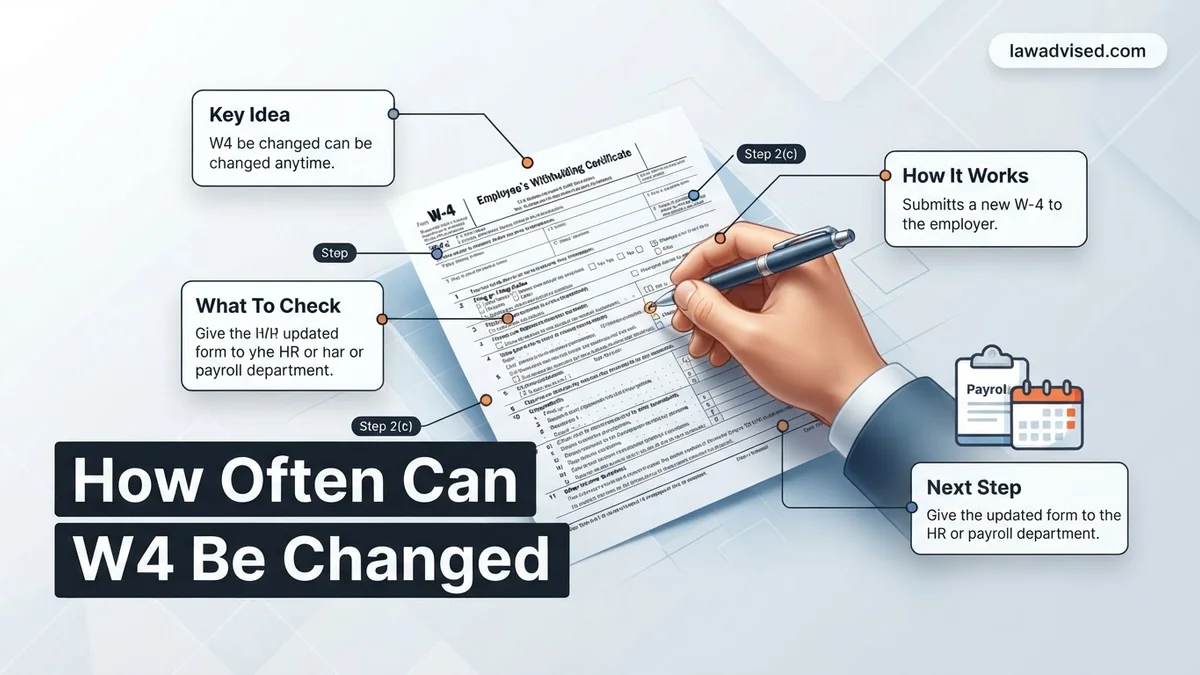
You can change your Form W-4 as many times as you want throughout the year with no legal limits. Adjusting your withholding helps you avoid a surprise tax bill or fine-tune your tax refund.
You can change your IRS Form W-4 as many times as you need throughout the year. There is no federal limit on how frequently you can update your tax withholding with your employer. Whether you want to adjust your paycheck to avoid a surprise tax bill or you want to increase your take-home pay, the IRS allows you to submit a new W-4 whenever your personal or financial situation changes.
Managing your withholdings correctly is essential for your 2026 financial health. Submitting a new form ensures you are not lending the government too much of your hard-earned money interest-free or setting yourself up for a massive tax liability next spring. Knowing the rules empowers you to take control of your cash flow immediately.
Key Takeaways
- You can update your W-4 form an unlimited number of times each year.
- Major life changes like marriage or a new baby are common triggers for updates.
- Submitting changes through your employer’s online payroll portal is the fastest method.
- Changes typically take effect within one to two pay periods.
- Reviewing your withholding annually prevents unexpected tax bills.
What Causes Employees to Change Their W-4 Form
Major Life Events
Significant milestones in your personal life usually prompt a revision of your tax withholdings. These events directly alter your tax liability and standard deduction.
- Getting legally married or divorced, which changes your filing status.
- Welcoming a new child or adopting, making you eligible for the Child Tax Credit.
- Purchasing a home, though itemizing deductions has become less common under recent tax rules.
Financial and Employment Changes
Shifts in your income stream or household finances require immediate adjustments to prevent incorrect tax withholding.
- Starting a second job or picking up lucrative freelance side work in 2026.
- Your spouse starting, leaving, or changing jobs in a dual-income household.
- Receiving a substantial permanent raise or bonus structure shift.
- Noticing that your previous tax season resulted in a massive unexpected refund or a surprise tax bill.
Master Form W-4 Adjustments in 8 Simple Steps
Navigating tax withholdings can feel daunting, but understanding how often you can change your Form W-4 empowers you to take control of your personal finances. Whether you recently tied the knot, bought a home, welcomed a new child, or simply want to avoid a massive tax bill or a disappointing refund next April, adjusting your withholdings correctly is crucial. This comprehensive guide will walk you through the frequency rules, timing strategies, and exact execution methods for modifying your W-4 with your employer, ensuring you never leave your hard-earned money to chance.
Step 1: Understand the Frequency Rules Set by the IRS
What you need: Access to current IRS guidelines and an understanding of your employment status.
Instructions: First, you need to know that legally, the IRS places no limit on how many times you can submit a new Form W-4 to your employer throughout the calendar year. You can technically change it every single pay period if your life circumstances demand it. However, while federal law allows unlimited changes, your company’s human resources or payroll department may have internal administrative policies or software limitations that pace how frequently they can process updates. Always check with your HR department regarding their specific cutoff dates and processing windows to ensure your adjustments are captured in the upcoming pay cycle.
Pro Tip: Don’t abuse the unlimited frequency rule. Making erratic changes every week can overwhelm payroll administrators and mistakenly trigger flags in your employer’s automated systems.
Step 2: Identify Qualifying Life Events That Trigger a Change
What you need: A calendar or mental inventory of major personal and financial milestones over the past year.
Instructions: While you can change your W-4 whenever you want, certain life events make updating your withholding particularly urgent to avoid under-withholding penalties. Take stock of your current situation: Have you gotten married or divorced? Did you have or adopt a child? Did you purchase a new primary residence affecting your deductions? Have you taken on a lucrative side hustle that changes your overall tax bracket? Recognizing these triggers helps you determine not just if you can change your W-4, but when you must do so to keep your tax liability accurately balanced.
Pro Tip: If you experience a major life event that decreases your deductions (like a divorce), submit a new W-4 within 10 days to prevent owing a massive lump sum at tax time.
Step 3: Access the Most Current Form W-4 Document
What you need: Internet access, a printer, or your company’s digital employee self-service portal (such as ADP, Workday, or Gusto).
Instructions: Go directly to the official IRS website to download the current version of Form W-4 (Employee’s Withholding Certificate), or log into your employer’s HR software portal. Do not use outdated forms from previous years, as the IRS completely overhauled the W-4 design to eliminate personal allowances in favor of step-by-step calculations. Familiarize yourself with the five distinct sections: Step 1 for personal info, Step 2 for multiple jobs or working spouses, Step 3 for dependents, Step 4 for other adjustments like extra income or deductions, and Step 5 for your signature.
Pro Tip: Always use your employer’s digital portal if available. It usually includes built-in validation checks that prevent math errors before you submit.
Step 4: Use the IRS Tax Withholding Estimator Tool
What you need: Recent pay stubs for yourself and your spouse, along with your most recent federal tax return.
Instructions: Before filling out the physical or digital form blindly, navigate to the IRS Tax Withholding Estimator online. Input your projected annual income, current withholding amounts to date, deductions, and expected tax credits. The tool will calculate precisely what numbers you need to enter into Steps 2 through 4 of your new W-4 to achieve your goal—whether that is breaking even, maximizing a refund, or shrinking a liability. Utilizing this tool removes all the guesswork from the equation and ensures your withholding matches your actual tax liability.
Pro Tip: Run the estimator at least twice a year—once in January and again in July—to course-correct your withholdings mid-stream.
Step 5: Complete Steps 1 through 5 Accurately
What you need: Your completed calculations from the IRS estimator tool and a pen (if filling out a paper form).
Instructions: Transfer the calculated figures onto your Form W-4. Fill out your name, address, Social Security Number, and filing status in Step 1. Carefully complete Step 2 if you hold multiple jobs simultaneously. Enter dependent credits in Step 3. Account for investment income, retirement deductions, or extra tax withholding amounts in Step 4. Finally, sign and date Step 5 to make the document legally valid. Double-check every single line item to ensure there are no typographical or mathematical errors that could delay processing.
Pro Tip: Be very careful with Step 4(c) (“Extra withholding”). This is where many people accidentally write a total deduction amount per year instead of the intended per-paycheck deduction.
Step 6: Submit the Form to Your Employer’s HR or Payroll Department
What you need: Your finalized W-4 form (paper copy or digital submission confirmation).
Instructions: Deliver your completed W-4 to the appropriate department. If your company uses an online HR portal, simply upload or input the digital form and save the confirmation receipt. If you are submitting a physical paper form, hand it directly to your payroll administrator or HR representative, and ask for a signed, dated copy for your personal financial records. Keeping a paper trail protects you in case the form gets lost in transit and your withholding fails to update on schedule.
Pro Tip: Submit your form at least one to two weeks before your company’s payroll cutoff date to ensure it takes effect on your very next paycheck.
Step 7: Verify the Changes on Your Next Pay Stub
What you need: Your next issued pay stub or earnings statement.
Instructions: Once your next pay cycle arrives, immediately review your pay stub. Look specifically at the federal income tax withholding line item to confirm that the dollar amount has changed in the anticipated direction. If you requested an increase in withholding, the federal tax deduction should be noticeably higher; if you decreased it, your net take-home pay should increase. If you notice no change or an incorrect adjustment, contact payroll immediately to rectify the administrative error before multiple pay periods pass.
Pro Tip: Create a digital folder where you save every pay stub for the current calendar year to easily audit your year-to-date tax withholdings.
Step 8: Monitor and Adjust Quarterly as Needed
What you need: A calendar reminder set for every three months and your year-to-date pay stubs.
Instructions: Because you can change your W-4 as often as you like, treat your tax withholdings as a dynamic financial lever rather than a set-it-and-forget-it chore. Set a calendar reminder to review your financial situation every quarter (March, June, September, December). Check if you received a bonus, experienced a pay raise, or picked up extra freelance work. If your financial reality has shifted away from your initial estimates, repeat steps 3 through 7 to fine-tune your W-4 once again.
Pro Tip: Frequent fine-tuning prevents the unpleasant surprise of a massive tax bill or an interest-free loan to the government via an oversized refund.
✅ Final Checklist
- Confirmed that your employer’s internal rules allow the timing of your W-4 adjustment.
- Ran your financial data through the official IRS Tax Withholding Estimator.
- Completed all relevant sections (Steps 1 through 5) of the newest Form W-4 accurately.
- Submitted the digital or paper form to HR/Payroll and secured a receipt or confirmation.
- Inspected your subsequent pay stub to verify the tax withholding adjusted correctly.
Important Notes:
- Intentaneously under-withholding federal taxes to avoid paying what you owe can result in severe IRS penalties and quarterly interest charges.
- Seek help from a certified public accountant (CPA) or financial planner if you have complex investments, rental properties, or fluctuating self-employment income.
- Estimated time to complete: 30 to 45 minutes of preparation and calculation, with zero direct monetary cost.
Step-by-Step Instructions to Update Your W-4 With Your Employer
Obtain and Review the Current W-4 Form
You must use the official IRS Form W-4, which has remained largely streamlined since the major redesigns. You can download a fresh copy directly from the IRS website or request one from your human resources department.
- Access your company employee self-service portal, such as ADP, Workday, or Gusto.
- Navigate to the payroll, tax, or withholding elections section.
- Download the 2026 PDF version if your company requires a physical or scanned submission.
Complete the Relevant Steps on the Form
You do not need to fill out every single section of the modern W-4 form. Focus only on the parts that apply to your specific financial situation.
- Step 1: Enter your personal information, including name, address, Social Security number, and correct filing status.
- Step 2: Complete this section only if you hold multiple jobs simultaneously or file jointly with a working spouse.
- Step 3: Claim dependent credits for qualifying children and other dependents to reduce your tax withholding.
- Step 4: Make other adjustments, such as adding extra withholding per pay period or accounting for investment income and deductions.
- Step 5: Sign and date the form before submitting it to your HR or payroll department.
Best Practices for Calculating Your New Tax Withholding
Completing a Form W-4 accurately requires more than guessing your annual income. According to financial planning experts and Internal Revenue Service guidelines, utilizing digital estimation tools ensures your paycheck matches your actual tax liability for 2026.
Utilize the IRS Tax Withholding Estimator
The most reliable method to determine your precise withholding is the official IRS online estimator tool. This platform cross-references your current earnings, deductions, and tax credits to generate exact line-item instructions for your new Form W-4.
- Gather your most recent pay stubs for all jobs held by you and your spouse.
- Compile records of other income sources, such as freelance work, dividends, or retirement distributions.
- Open the official IRS Tax Withholding Estimator on the government portal.
- Input your data carefully, following the prompts to account for the standard deduction adjustments active in 2026.
- Transfer the final output figures directly to Steps 3 through 4 of your new physical or digital W-4 form.
Perform a Mid-Year Checkup
Tax situations evolve rapidly throughout the year due to career moves, investments, or family changes. Financial analysts recommend reviewing your withholding status at least twice annually, ideally during July and January. Catching a discrepancy early prevents a surprise tax bill or an excessively large, interest-free loan to the government when filing your annual return.
What If Your Payroll Department Does Not Apply the W-4 Changes
Payroll processing errors can occasionally delay the implementation of your updated Form W-4. If you notice your withholding remains unchanged after two full pay cycles, proactive intervention is required to correct the administrative oversight.
Resolution Steps for Payroll Delays
When your employer fails to process your updated tax elections promptly, follow this systematic escalation process:
- Verify the submission date and confirmation receipt through your employee self-service portal or human resources department.
- Submit a formal follow-up email to your HR or payroll specialist, attaching a copy of your signed 2026 W-4 form.
- Request a written timeline specifying exactly which pay period will reflect your newly adjusted withholding amounts.
- If internal channels fail to resolve the issue within thirty days, consult a certified public accountant (CPA) or tax attorney. Professional consultation fees for payroll compliance reviews generally range from 150 to 350 dollars.
- File a formal complaint with the Department of Labor if your employer willfully ignores mandatory federal withholding updates.
Conclusion
Managing your tax withholding is a dynamic process that you can adjust as often as your personal or financial circumstances require throughout 2026. By submitting a revised Form W-4 promptly, you maintain precise control over your take-home pay and avoid unnecessary tax season surprises. According to verified research and expert financial sources, proactive withholding management is the single most effective way to optimize your annual cash flow. Take your next actionable step today by logging into your employer portal to review your current tax elections.
❓ Frequently Asked Questions
How often can w4 be changed legally according to the IRS?
The IRS places no restriction on the number of times you can submit a new Form W-4 to your employer. You can adjust your withholdings as frequently as your financial situation changes.
What life events should prompt a W-4 update?
Common triggers include getting married or divorced, having a child, taking on a side job, or experiencing a significant change in household income. Updating your form helps align your tax withholding with your actual liability.
Will my employer question why I am changing my W-4 frequently?
Employers are legally required to process your W-4 regardless of how often you submit it. While HR rarely questions frequent changes, the IRS may review returns if withholdings drop to unrealistic levels.
How do I fill out the new W-4 form accurately?
The modern W-4 uses a five-step process focusing on personal information, multiple jobs, dependents, and other adjustments. Using the IRS Tax Withholding Estimator online can help you determine the exact entries needed.
Can I use a paper form if my company does not use a digital portal?
Yes, you can print a copy of Form W-4 directly from the IRS website, fill it out by hand, and submit the physical document to your human resources or payroll department.
What happens if I claim too many allowances or withholdings?
Claiming too little tax withholding throughout the year can result in a large tax bill and potential underpayment penalties when you file your annual tax return in April.

Ismail Hossain is the founder of Law Advised. He is an Divorce, Separation, marriage lawyer. Follow him.