How To Read A W2 Form How to Read a W-2 Form 2026
Reading a W-2 form can be confusing with all its numbered boxes, letters, and codes. This guide breaks down every essential section, from taxable wages in Box 1 to tax withholdings and employer-specific Box 12 codes, so you can file your taxes accurately. Knowing what each number means ensures you claim the right amounts on your tax return.
Your Form W-2 is the official document your employer sends to both you and the IRS summarizing how much you earned and how much tax was withheld during the year. Every number and letter code on this form maps directly to a specific line on your 2026 federal and state income tax returns. Filing your taxes accurately depends entirely on transferring these figures to the correct spots.
Mistakes on your tax return often trace back to confusing similarly named boxes or misinterpreting specialized alphanumeric codes. By breaking down the layout systematically, you can bypass the guesswork and ensure your 2026 tax filing matches your official earnings.
Key Takeaways
- Box 1 shows your total taxable wages subject to federal income tax.
- Box 2 displays the actual federal income tax your employer withheld all year.
- Boxes 3 through 6 report your Social Security and Medicare wages and taxes.
- Box 12 letters (like D or DD) represent specific pre-tax deductions or benefits.
- Always cross-reference your W-2 with your final pay stub to check for errors.
What Causes Confusion on a W-2 Form
The Myth of Total Compensation Matching Box 1
Most taxpayers assume that every single box showing a dollar amount should display the exact same total. In reality, the numbers rarely match because different taxes apply to different types of income. Your gross salary, taxable wages, and Social Security earnings use entirely different calculation rules.
- Pre-tax deductions: Contributions to traditional 401(k) plans or health insurance lower the amount shown in Box 1.
- Fringe benefits: Certain employer-provided perks count toward some taxes while remaining exempt from others.
- Maximum thresholds: Social Security taxes stop applying after you cross specific wage limits for the year.
Alphabet Soup and Code Overload
The lower half of the form features cramped boxes packed with single letters and numbers, such as DD in Box 12 or state codes in Box 15. Without a clear guide, this section looks like a secret code rather than financial data. Knowing which codes require direct entry on your tax software and which are purely for your informational records eliminates this friction.
Decoding Your W-2 Form Made Easy: Your Essential Action Plan
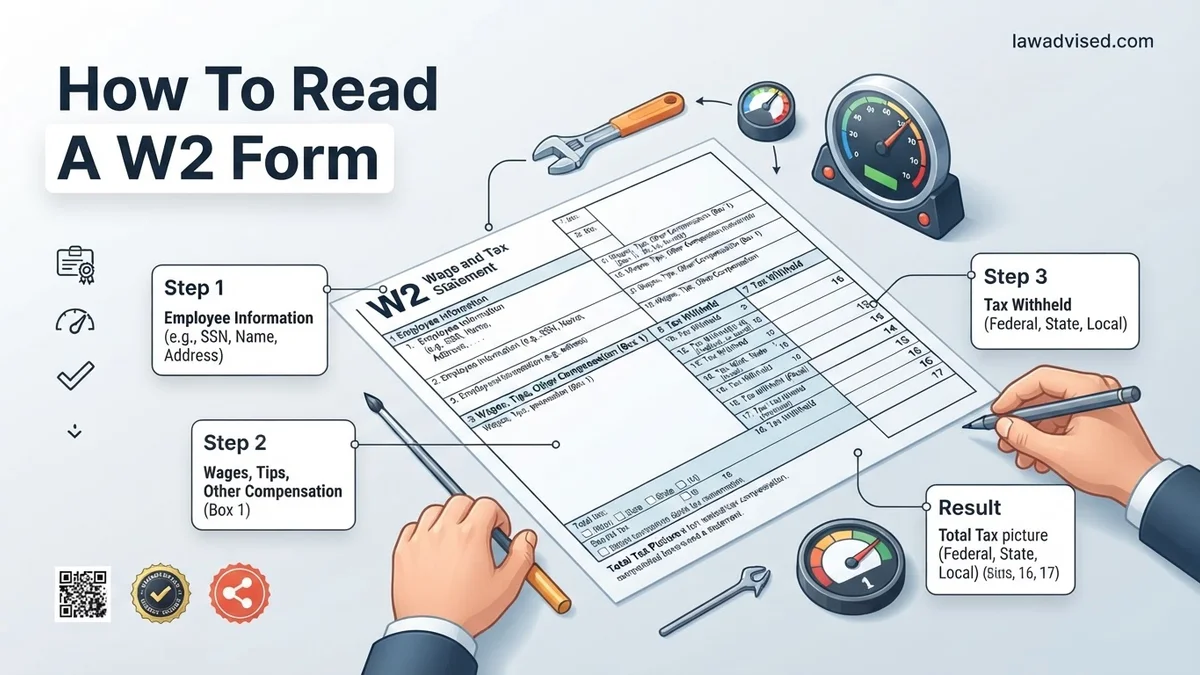
Filing your taxes can feel overwhelming, but it all starts with understanding your Form W-2 (Wage and Tax Statement). This document is your official record of how much you earned and how much tax was withheld throughout the previous calendar year. Whether you are preparing to file manually or using tax software, following this structured, step-by-step walkthrough will help you accurately interpret every section of your W-2 without second-guessing.
Step 1: Verify Your Personal and Employer Identification Details
What you need: A printed or digital copy of your W-2 form and a recent photo ID or social security card for accuracy cross-referencing.
Instructions: Begin by carefully reviewing the top section of the form, specifically Boxes a through f. Box a contains your Social Security Number (SSN), so ensure every digit matches your physical card to prevent processing delays by the IRS. Boxes b and c contain your employer’s Federal Employer Identification Number (EIN) and their official name and address. Boxes d, e, and f contain your personal information including your full legal name and current or former mailing address. If any of these details—especially your SSN or name—are incorrect, contact your employer’s human resources or payroll department immediately to request a corrected W-2, known as a Form W-2c.
Pro Tip: Moving frequently can cause mailing issues; always ensure your employer has your updated address by December 31st to ensure your W-2 arrives promptly in January.
Step 2: Decode Your Total Wages in Box 1
What you need: Your W-2 form and your final year-end pay stub from December.
Instructions: Locate Box 1, labeled “Wages, tips, other compensation.” This represents the taxable income you earned from this employer during the calendar year. It includes your base salary, hourly pay, tips, bonuses, and taxable fringe benefits. Note that Box 1 may not match your gross pay because pre-tax deductions—such as traditional 401(k) contributions, health insurance premiums, and flexible spending accounts (FSAs)—are subtracted before this number is calculated. Compare this figure against your final pay stub’s year-to-date taxable gross to ensure accuracy.
Pro Tip: If you had multiple jobs during the year, you will have a separate W-2 for each employer, and you will need to add all Box 1 amounts together when filing taxes.
Step 3: Analyze Federal Income Tax Withheld in Box 2
What you need: Your W-2 form and a calculator if you are cross-referencing with your pay stubs.
Instructions: Look at Box 2, which shows the total amount of federal income tax your employer withheld from your paychecks throughout the year and sent to the IRS on your behalf. This figure is heavily influenced by the elections you made on your Form W-4 when you were hired or when you updated your withholding. When you file your tax return, this amount acts as a direct credit against your total tax liability, determining whether you will receive a tax refund or owe additional money to the federal government.
Pro Tip: A drastically high refund means you had too much withheld (essentially giving the government an interest-free loan), whereas owing money means you under-withheld.
Step 4: Review Social Security Wages and Taxes in Boxes 3 and 4
What you need: Your W-2 form and knowledge of the current year’s Social Security wage base limit.
Instructions: Box 3 lists your total wages subject to Social Security tax, while Box 4 displays the actual Social Security tax withheld (which is typically 6.2% of the amount in Box 3). Keep in mind that Box 3 might be higher than Box 1 if you made pre-tax contributions, because certain pre-tax deductions (like health insurance) are exempt from federal income tax but still subject to Social Security tax. Additionally, there is an annual maximum wage limit for Social Security; if you earned more than that limit, the number in Box 3 will cap out at that maximum.
Pro Tip: If your Box 4 amount is significantly higher than 6.2% of Box 3, alert your payroll department immediately to correct a potential over-withholding error.
Step 5: Examine Medicare Wages and Taxes in Boxes 5 and 6
What you need: Your W-2 form and a basic understanding of standard Medicare tax rates.
Instructions: Box 5 shows your Medicare wages and tips, which often matches or exceeds your Box 1 and Box 3 numbers because there is no wage cap for Medicare tax. Box 6 details the Medicare tax withheld, which is standardly 1.45% of your total Medicare wages. If you are a high earner—making over $200,000 for single filers or $250,000 for married couples filing jointly—you may notice an Additional Medicare Tax of 0.35% withheld on earnings exceeding that threshold, which will also be reflected in Box 6.
Pro Tip: Unlike Social Security, Medicare has no wage ceiling, meaning every single dollar you earn is subject to the 1.45% tax rate.
Step 6: Investigate State and Local Tax Information in Boxes 15 through 20
What you need: Your W-2 form and state-specific tax documentation.
Instructions: Scan the bottom portion of your W-2 to find Boxes 15 through 20, which cover state and local taxes. Box 15 identifies your employer’s state abbreviation and state tax ID number. Box 16 shows your state taxable wages, which may differ from federal wages due to state-specific tax laws. Box 17 shows the state income tax withheld. If you lived or worked in a specific city or county that levies local income taxes, you will find those details in Boxes 18, 19, and 20. Ensure these match your state-level filings.
Pro Tip: If you moved or worked in multiple states during the year, you will see multiple rows of state information filled out in this bottom section.
Step 7: Check Miscellaneous Codes in Box 12
What you need: Your W-2 form and the IRS instruction guide for Box 12 codes.
Instructions: Box 12 contains a variety of single-letter or double-letter codes followed by a dollar amount. These codes represent specific types of compensation or deductions, such as employer-sponsored health coverage (Code DD), traditional or Roth 401(k) contributions (Codes D and AA), or educational assistance. While many of these codes are purely informational and do not require manual entry into every tax software field, some directly impact your deductions, so it is vital to transfer them accurately if your software prompts for them.
Pro Tip: Do not ignore Code DD; while informational, it helps track the cost of health insurance coverage provided by your employer for transparency purposes.
✅ Final Checklist
- Confirmed that your Social Security Number and name match your physical identification documents.
- Cross-referenced Box 1 wages with your final December pay stub to ensure gross taxable earnings are correct.
- Verified that federal (Box 2) and state (Box 17) tax withholding amounts match your records.
- Checked Box 12 codes to account for retirement contributions and health benefits.
- Ensured all separate W-2 forms are collected if you held multiple jobs during the tax year.
Important Notes:
- Employers are legally required to issue W-2 forms by January 31st of the following year. If you have not received yours by early February, contact your employer or the IRS.
- If you discover a major discrepancy on your W-2 that your employer refuses or fails to fix, consult a certified public accountant (CPA) or tax professional for assistance filing a substitute W-2 (Form 4852).
- Reviewing your W-2 typically takes 15 to 30 minutes, and doing so carefully prevents costly IRS processing delays and audit flags.
How to Read and Interpret Boxes 1 Through 6
Understanding Your Primary Taxable Wages in Box 1 and Box 2
Box 1 represents your total taxable wages for federal income tax purposes. This figure includes your base salary, tips, bonuses, and taxable fringe benefits, minus any pre-tax deductions like health insurance premiums or traditional retirement contributions.
- Box 1 (Wages, tips, other comp): Enter this exact number into the primary wages line of your 2026 Form 1040.
- Box 2 (Federal income tax withheld): This shows the actual federal tax your employer sent to the IRS on your behalf. This is money you have already paid toward your tax bill.
Navigating FICA Taxes in Boxes 3 through 6
Boxes 3 through 6 cover the Federal Insurance Contributions Act, which funds Social Security and Medicare. These numbers frequently differ from Box 1 because pre-tax health deductions do not reduce your Social Security and Medicare wages.
- Box 3 (Social security wages): This is the maximum amount of your earnings subject to the Social Security tax for 2026.
- Box 4 (Social security tax withheld): This displays the 6.2 percent Social Security tax taken from your pay up to the annual wage limit.
- Box 5 (Medicare wages and tips): Unlike Social Security, there is no wage cap for Medicare, so this box often matches or exceeds your Box 1 total.
- Box 6 (Medicare tax withheld): This shows the 1.45 percent Medicare tax withheld from your earnings, plus any additional Medicare tax if your income crosses high-earner thresholds.
Step-by-Step Guide to Decoding Box 12 and Box 14
Box 12 on your 2026 Form W-2 contains a series of single-letter or double-letter codes paired with dollar amounts. These codes represent specific types of compensation or elective deferrals, such as contributions to employer-sponsored retirement plans or employer-provided health coverage. According to the IRS instructions for the 2026 tax year, taxpayers must pay close attention to these codes because many directly impact their adjusted gross income and taxable wages.
Decoding Box 12 Codes
- Locate Box 12 on your W-2 form, which is divided into four separate horizontal slots labeled A through D.
- Identify the single or double uppercase letter code in the left sub-box (for example, Code D for 401(k) contributions or Code DD for the cost of employer-sponsored health coverage).
- Match the letter code to the official IRS Code Guide found in the instructions for Form W-2 to determine if the amount is already included in Box 1 or requires special handling.
- Transfer the exact dollar amount listed in the right sub-box to the corresponding line on your 2026 federal income tax return software or paper forms.
Understanding Box 14 “Other” Information
- Examine Box 14, which is a catch-all area where employers report miscellaneous information that does not fit into standard numbered boxes.
- Read the descriptive text provided by your employer next to the dollar amount (common entries include union dues, state disability insurance taxes, or uniform allowances).
- Check state-specific tax instructions for 2026 to verify whether any Box 14 items qualify for localized state tax deductions or credits.
What If Your W-2 Contains Errors or Arrives Late
Receiving an incorrect or delayed W-2 form can disrupt tax filing plans for 2026. If your employer fails to deliver your W-2 by the statutory deadline of February 2, 2026, or if you spot a clear mathematical error in your earnings or withholding amounts, structured corrective measures are necessary.
Handling Missing or Incorrect Forms
- Contact your employer’s payroll or human resources department immediately to request a corrected W-2, officially known as Form W-2c.
- If your employer remains unresponsive after February 15, contact the IRS toll-free assistance line at 1-800-829-1040 for formal intervention.
- File your tax return on time using Form 4852 (Substitute for Form W-2, Wage and Tax Statement) if your actual W-2 does not arrive before your filing deadline, estimating your wages and withholdings using your final 2026 paystub.
What If It Still Doesn’t Work?
If decoding complex Box 12 codes or handling a missing W-2 stalls your tax preparation process, standard fallback procedures can keep your filing on track for the 2026 tax season.
- Log directly into your IRS online account to download a formal Wage and Income Transcript, which pulls official third-party reporting data directly from government databases.
- Access your employer’s payroll portal (such as ADP, Workday, or Gusto) to check for digitally generated W-2 documents that may have bypassed postal delivery.
- Consult a certified public accountant (CPA) or an enrolled agent to handle complex corrections or substituted filings safely. Professional tax preparation fees typically range from $220 to $550 depending on the complexity of your income disclosures.
Conclusion
Mastering how to read your W-2 form ensures accurate reporting and prevents costly processing delays with the IRS. By systematically verifying your personal details, matching taxable wages against Box 1, and properly categorizing Box 12 codes, you secure a smooth filing process. According to verified research and expert sources from the Internal Revenue Service, proactive wage verification significantly reduces the likelihood of tax audits. Take the next step today by logging into your payroll portal to review your 2026 W-2 data line by line before submitting your return.
❓ Frequently Asked Questions
What does Box 1 on a W-2 form represent?
Box 1 reports your total taxable wages, tips, and other compensation that are subject to federal income tax. This number does not include pre-tax deductions like health insurance or traditional 401(k) contributions.
How do I use my W-2 to file my tax return?
You will transfer specific numbers from your W-2 directly into your tax software or paper tax return. For example, the amount in Box 1 goes on the line for wages, and Box 2 goes on the line for federal income tax withheld.
What does code DD in Box 12 mean?
Code DD reports the cost of employer-sponsored health coverage you received. This figure is for informational purposes only to show the value of your health benefits and is not taxable.
What is the purpose of Box 14 on the W-2?
Box 14 is a catch-all section where employers report miscellaneous information, such as union dues, uniform payments, or state disability insurance taxes withheld. Check with your employer if you do not recognize a code listed here.
Why are Boxes 3 and 5 often left blank or show different amounts than Box 1?
Boxes 3 and 5 show Social Security and Medicare wages, which have specific annual wage caps or include pre-tax deductions that differ from federal taxable income. If your earnings exceed the Social Security wage base limit, Box 3 will cap out.
What happens if I do not receive my W-2 by the IRS deadline?
If you have not received your W-2 by mid-February, contact your employer first. If they fail to provide it, you can contact the IRS for assistance or file your tax return using Form 4852 as a substitute wage statement.

Ismail Hossain is the founder of Law Advised. He is an Divorce, Separation, marriage lawyer. Follow him.