How to Report W2 Income Step-by-Step Guide for 2026
Reporting your W-2 income requires matching specific box numbers from your form to the correct lines on IRS Form 1040. Proper data entry ensures accurate tax calculations and prevents processing delays with your return.
Reporting your W-2 income accurately on your 2026 tax return comes down to matching specific boxes on your employer-provided form directly to the correct lines on IRS Form 1040. When you prepare your taxes, you are simply transferring the financial data your employer already calculated into the IRS filing system so the government can verify your total earned income and tax withholding.
Getting these numbers right prevents processing delays, automated IRS notices, and potential underpayment penalties. Whether you are filing manually or using digital tools for the 2026 tax season, knowing exactly where every dollar goes streamlines the entire process.
Key Takeaways
- Match Box 1 wages directly to Form 1040 Line 1z.
- Input federal income tax withheld from Box 2 into Form 1040 Line 25a.
- Commercial software automatically routes W-2 data to correct tax form lines.
- Contact your employer immediately if you receive an incorrect W-2 form.
- File Form 4852 if your employer fails to provide a W-2 by tax deadlines.
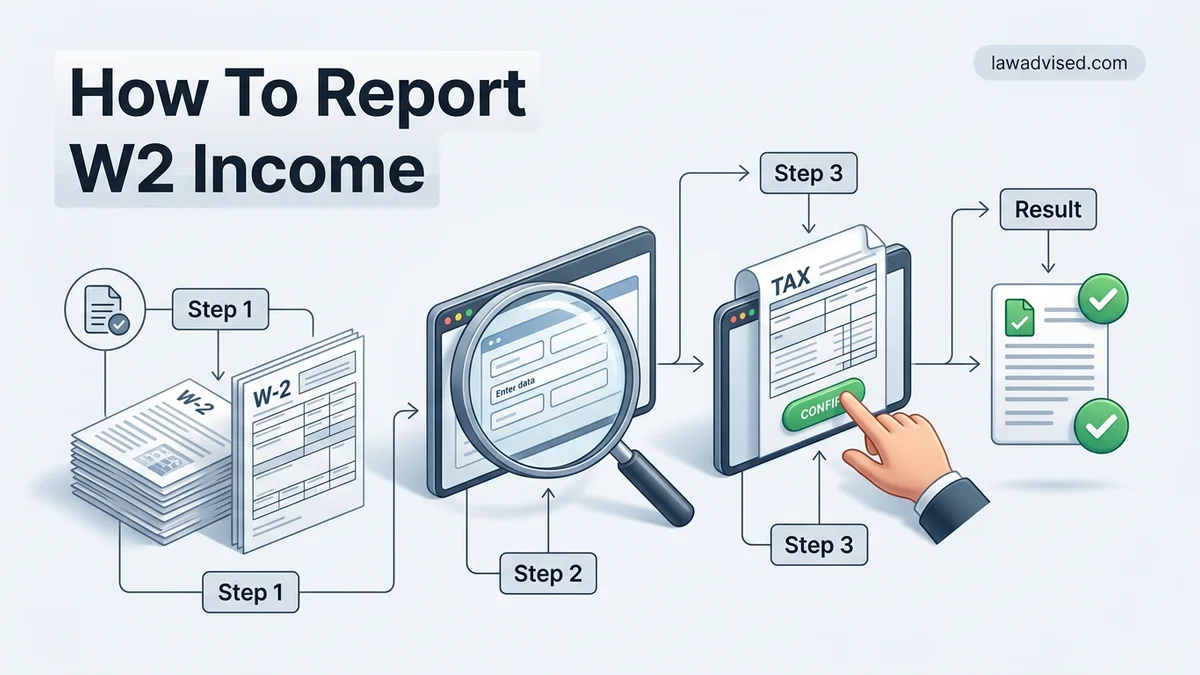
Why W-2 Reporting Errors Happen and Where Data Goes
Common Data Entry Mistakes to Avoid
Most tax filing rejections and IRS mismatch letters happen because of simple typos when inputting W-2 data. Transposing digits in your Employer Identification Number (EIN), missing decimal points in wage amounts, or confusing similar box labels will immediately trigger automated flags at the IRS.
- Double-check your employer’s exact EIN from Box b before submitting.
- Never round your wage and withholding amounts; enter the exact cents listed on your form.
- Keep multiple W-2 forms separate if you held more than one job during the 2026 tax year.
The Path of Your W-2 Data
Your employer sends a copy of your W-2 directly to the Social Security Administration and the IRS. When you file your 2026 tax return, tax software or IRS processing computers automatically cross-reference the numbers you input against the digital copy submitted by your employer.
- Your reported wages must match or reconcile with third-party reporting.
- Discrepancies between your Form 1040 and the employer copy trigger identity review or audits.
Reporting W-2 Income Made Easy: Your Essential Action Plan
Filing your annual taxes can feel overwhelming, but reporting your W-2 wage and tax statement correctly is the cornerstone of a smooth tax season. Your W-2 form contains vital data reported by your employer regarding your earnings and tax withholdings for the previous calendar year. This comprehensive walkthrough will guide you through the process of gathering your documents, entering the data accurately into tax software or paper forms, and submitting your return with confidence. Whether you are a first-time filer or looking to double-check your work, following these sequential steps will help you avoid costly calculation errors and potential delays in receiving your tax refund.
Step 1: Gather Your W-2 Forms and Necessary Documents
What you need: All copies of Form W-2 issued by your current and former employers, your Social Security number, and last year’s tax return for reference.
Instructions: Employers are legally required to mail or electronically provide your W-2 form by January 31st of the tax year. Check your mail and email inbox (including spam folders) for forms from every employer you worked for during the previous year, even if it was just for a few weeks. Organize these documents in front of you. If you had multiple jobs, you will need a separate W-2 from each employer. Do not attempt to file until you have received every expected form, as filing an incomplete return will require you to file an amended return later, which significantly delays processing times.
Pro Tip: If you haven’t received a W-2 by mid-February, contact your employer’s human resources or payroll department immediately to request a duplicate copy.
Step 2: Choose Your Method of Filing
What you need: Access to an IRS-approved tax preparation software, a paper tax packet (Form 1040), or a professional certified public accountant (CPA).
Instructions: Decide how you will prepare and submit your taxes. Most taxpayers opt for electronic filing (e-filing) via popular commercial tax software programs, which automatically transfer data and calculate totals to minimize mathematical errors. If you earned under a certain income threshold, you may qualify for IRS Free File options. Alternatively, you can fill out a paper Form 1040 manually, though this method is much slower and prone to clerical errors. If your financial situation involves complex investments, self-employment income alongside your W-2, or foreign earned income, consider hiring a licensed tax professional.
Pro Tip: E-filing combined with direct deposit is the fastest way to get your tax refund, often arriving in less than 21 days.
Step 3: Understand the Anatomy of Form W-2
What you need: Your physical or digital W-2 form and a basic understanding of IRS terminology.
Instructions: Take a moment to examine the layout of your W-2. The form is divided into lettered boxes (A through F) for personal information and numbered boxes (1 through 14) for financial data. Box 1 shows your total taxable wages, tips, and other compensation. Box 2 indicates federal income tax withheld. Boxes 3 and 5 show wages subject to Social Security and Medicare taxes, while Boxes 4 and 6 show the exact amounts withheld for those programs. Boxes 15 through 20 report state and local tax information. Familiarizing yourself with these specific box numbers ensures you type the correct figures into the corresponding fields of your tax software.
Pro Tip: Box 1 wages rarely match your gross annual salary because pre-tax deductions like 401(k) contributions and health insurance premiums are typically subtracted first.
Step 4: Input Personal Information and Employer Identification
What you need: Form W-2 and your tax software or paper Form 1040.
Instructions: Begin by entering your personal details into the software, including your full legal name, current address, and Social Security Number. Double-check every single digit of your Social Security Number, as a typo here will instantly flag your return and halt processing. Next, look at Box b of your W-2 to find your employer’s Employer Identification Number (EIN). Enter this unique nine-digit number along with your employer’s name and address exactly as they appear on the form. If you worked for multiple employers, repeat this data-entry process for each distinct W-2 form.
Pro Tip: Keep your W-2 handy as you type; never rely on memory for EINs or exact wage amounts.
Step 5: Enter Wage and Salary Data into Box 1
What you need: Your tax software interface open to the W-2 entry section and your W-2 form.
Instructions: Locate Box 1 on your W-2 form, which represents your total taxable federal wages. Carefully type this exact monetary amount into the designated field in your tax program labeled for federal wages or Box 1 income. If you have multiple W-2 forms, your tax software will provide a prompt to add an additional employer, allowing you to input each Box 1 amount separately. The software will automatically aggregate these numbers to calculate your total earned income for the year, which serves as the foundation for your Adjusted Gross Income (AGI).
Pro Tip: Check your decimal placement carefully. Entering $50,000.00 as $5,000.00 or $500,000.00 will drastically skew your tax calculations.
Step 6: Report Federal, State, and Local Tax Withholdings
What you need: Form W-2 (specifically referencing Boxes 2, 4, 6, 17, and 19).
Instructions: Now you must report the taxes you have already paid throughout the year. Enter the amount from Box 2 into the federal tax withheld field. Next, input the Social Security tax withheld (Box 4) and Medicare tax withheld (Box 6) into their respective prompts. If applicable, scroll down to the state and local sections of your tax software, entering the state abbreviation, employer’s state ID number (Box 15), state wages (Box 16), and state income tax withheld (Box 17). Repeat these steps for local taxes if your municipality levied earnings taxes found in Boxes 18 and 19.
Pro Tip: Withholdings act as prepayments toward your ultimate tax liability. Accurate entry here determines whether you receive a refund or owe a balance.
Step 7: Review and Verify Data Against Your Final Paystub
What you need: Your submitted tax return summary and the year-end paystub from your employer.
Instructions: Before finalizing your tax return, conduct a thorough audit of your entered data. Pull out the final year-end pay stub or earnings summary provided by your employer for December of the tax year. Compare the year-to-date (YTD) gross earnings, federal withholdings, and FICA deductions listed on your paystub with the numbers you just typed into your tax software. They should match or be extremely close (accounting for minor year-end adjustments). Catching discrepancies now prevents IRS mismatch notices, which occur when the data reported by your employer doesn’t match the data on your tax return.
Pro Tip: If your paystub YTD numbers differ significantly from your W-2, contact your payroll department immediately to verify which document is correct.
Step 8: Submit Your Return and Save Your Records
What you need: Completed tax return, electronic filing PIN or signature, and digital or physical storage for archiving.
Instructions: Once you have verified all W-2 entries and completed any additional tax sections (like credits or deductions), you are ready to submit. If e-filing, follow the prompts to sign your return electronically using last year’s Adjusted Gross Income (AGI) for identity verification, and click submit. Wait for an official email confirmation or electronic receipt from the IRS or your software provider acknowledging that your return has been accepted. Finally, download a complete copy of your filed tax return and save it alongside a digital scan of your W-2 forms in a secure, password-protected folder.
Pro Tip: The IRS recommends keeping copies of your tax returns and supporting W-2 documents for a minimum of three to seven years.
✅ Final Checklist
- All W-2 forms from every employer have been collected and accounted for.
- Social Security numbers and employer EINs are entered without typos.
- Box 1 taxable wages match the amounts printed on your physical W-2 forms.
- Federal, state, and local tax withholdings are accurately recorded.
- Your tax return has received an official “Accepted” status notification after filing.
Important Notes:
- Never ignore a missing W-2; filing without it or failing to report income can result in IRS penalties and interest charges.
- Seek help from a licensed CPA or Enrolled Agent if you suspect your employer reported incorrect wages or if you receive a corrected W-2 (Form W-2c).
- Estimated time range: 30 to 60 minutes for simple returns with one W-2; Cost range: Free to $150 depending on filing software complexity.
How to Report W2 Income Step-by-Step on Form 1040
Matching Wage and Tax Withholding Boxes
To report your W-2 earnings manually on IRS Form 1040 for the 2026 tax season, you must map the specific numerical boxes from your form to the corresponding lines on the tax return.
- Box 1 (Wages, tips, other compensation): Enter this exact dollar amount onto Form 1040, Line 1z.
- Box 2 (Federal income tax withheld): Report this total on Form 1040, Line 25a.
- Box 3 and Box 5 (Social Security and Medicare wages): These are generally used for internal tracking, but ensure they match your expected earnings.
- Box 4 and Box 6 (Social Security and Medicare tax withheld): Additional withholdings that factor into specific credits or self-employment adjustments if applicable.
Handling State and Local Tax Data
If you live and work in a state or locality that levies an income tax, you must also report those specific figures on your state-level tax return.
- Box 15 (State and Employer’s state ID number): Identifies the taxing jurisdiction for your state return.
- Box 16 (State wages): Enter this amount onto your corresponding state income tax return form.
- Box 17 (State income tax withheld): Report this figure on your state return to claim credit for state taxes already paid through payroll.
How to Enter W-2 Data Into Commercial Tax Software
Most taxpayers file using commercial tax software rather than paper forms. Modern software programs designed for the 2026 tax filing season streamline this process significantly through automation and direct integration with payroll providers.
Step-by-Step Data Entry
- Launch your chosen tax software program and navigate to the income section.
- Select the option to add or import a W-2 form.
- Choose the PDF upload or electronic import method if your employer partners with the software provider.
- Review every auto-populated box against your physical or digital W-2 copy.
- Manually type any missing figures if the automated import fails or scans incorrectly.
- Save the entry and proceed to the next income category.
According to data from the Internal Revenue Service, electronic filing error rates remain below 1 percent when using guided tax software, compared to a significantly higher error rate on paper returns. Double-checking your employer identification number in Box a prevents processing delays.
What If Your W-2 is Missing or Incorrect
Waiting for a delayed W-2 or discovering an error can disrupt your filing timeline. The IRS requires employers to furnish W-2 forms by January 31, 2026. If you have not received yours by mid-February, specific protocols apply.
Resolving Missing and Erroneous Forms
- Contact your employer’s payroll or human resources department to request a duplicate copy.
- Call the IRS toll-free assistance line at 1-800-829-1040 if your employer fails to respond.
- File Form 4852, Substitute for Form W-2, Wage and Tax Statement, estimating your wages and withholding as accurately as possible using your final 2025 pay stub.
- File an amended return using Form 1040-X if the actual W-2 arrives later and differs from your estimates.
Keep in mind that filing with Form 4852 may delay the processing of your 2026 tax refund while the IRS verifies your earnings against employer records.
What If It Still Doesn’t Work?
If automated imports repeatedly fail or your tax situation involves complex multi-state wage adjustments that software cannot reconcile, fallback measures are necessary. Resolving persistent reporting errors requires targeted intervention to avoid IRS compliance notices.
- Clear your browser cache and cookies, or switch to a different device to rule out technical software glitches.
- Consult the IRS official instructions for Form 1040 to verify line-by-line definitions for Box 1 through Box 14.
- Engage a certified public accountant or an Enrolled Agent to review your documents and manage the filing directly.
According to National Society of Accountants data, professional tax preparation fees typically range from $220 for a standard itemized return to $450 or more for complex filings involving multiple W-2s and business income.
Conclusion
Reporting your W-2 income accurately ensures your 2026 tax return processes smoothly without unnecessary delays from the IRS. By carefully transferring figures from your wage statement to the correct tax software fields, you eliminate common mathematical and entry errors. According to verified research and expert sources from the Internal Revenue Service, filing electronically with complete documentation remains the single most effective way to secure your maximum refund on schedule. Take your actionable next step today by gathering all employer statements and launching your preferred tax preparation platform.
❓ Frequently Asked Questions
How do I report W-2 income if I used multiple employers during the year?
You must enter each W-2 form separately into your tax software or paper return. Tax software provides an ‘Add Another W-2’ prompt where you can input data for every employer you had during the tax year.
What should I do if my W-2 shows incorrect wages or withholding?
Contact your payroll department or employer right away to request a corrected W-2, known as Form W-2c. Do not file your taxes with known incorrect information, as it will cause processing delays or tax discrepancies with the IRS.
Where do state and local taxes from the W-2 go on my tax return?
State wages and income tax withheld (Boxes 15 through 17) are entered into your state tax return software or state-specific tax forms, not your federal Form 1040.
What is Form 4852 and when should I use it?
Form 4852 is a substitute for Form W-2 that you use if your employer fails to provide your W-2 by late February after you have made multiple attempts to contact them and the IRS.
How do I report W-2 income using IRS Free File?
IRS Free File software guides you through an interview process, asking you to type in the exact numbers from your W-2 boxes, and automatically places them into the correct IRS Form 1040 lines.
What if the amount in Box 1 is different from Box 3 or Box 5?
This is very common. Box 1 includes your total taxable wages, while Boxes 3 and 5 include wages subject to Social Security and Medicare taxes, which may differ due to pre-tax deductions like 401(k) contributions.

Ismail Hossain is the founder of Law Advised. He is an Divorce, Separation, marriage lawyer. Follow him.