Multiple W2 Forms Tax Filing Step-by-Step Guide for 2026
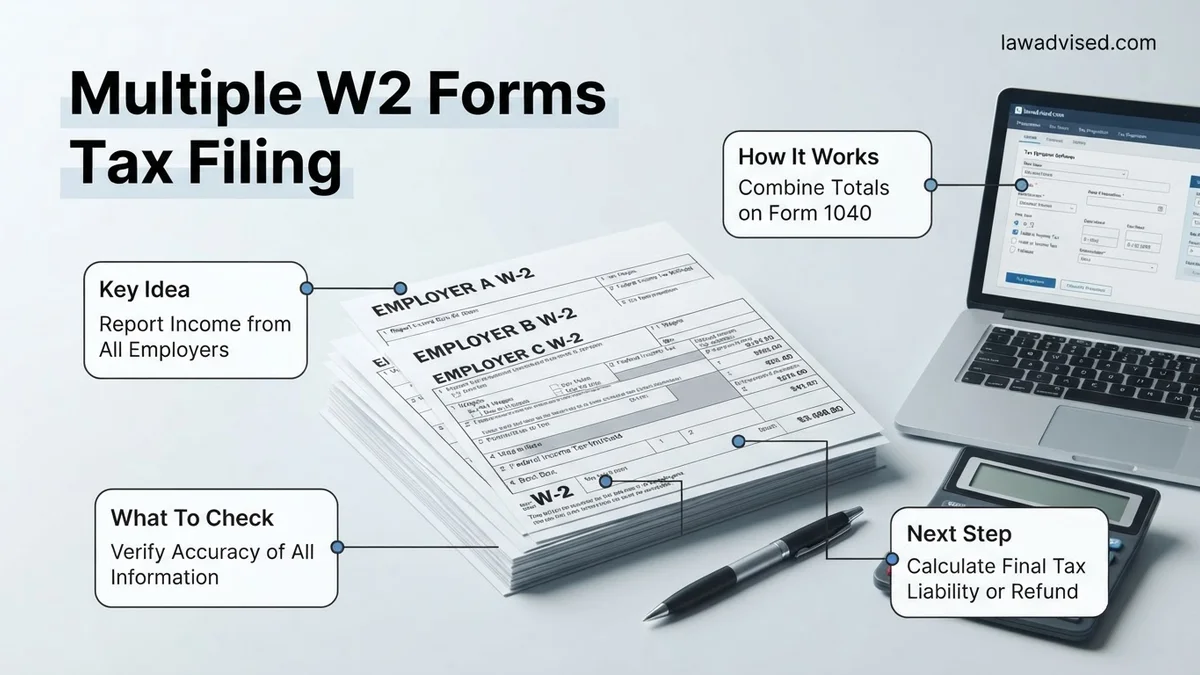
Filing taxes with multiple W-2 forms requires reporting each employer’s income and withholding separately rather than combining them into one document. Failing to enter every form correctly is a primary cause of processing delays and IRS tax calculation mismatches.
Filing your taxes for 2026 with multiple W-2 forms is entirely manageable as long as you do not skip any income sources. You must report every single W-2 you received during the tax year, whether you worked two simultaneous jobs, switched employers, or held seasonal side gigs. Leaving one out triggers automated IRS matching notices and delayed refunds.
The core process requires you to aggregate your total earned income and accurately input each individual form into your tax software or paper return. Skipping steps or combining the data from different W-2s onto a single entry field will cause math discrepancies that flag your return for review.
Key Takeaways
- Never combine the income from multiple W-2 forms into a single total line entry.
- Input each W-2 form separately into your tax software using the corresponding Employer Identification Number.
- Double-check Box 1 taxable wages and Box 2 federal income tax withheld for every individual form.
- Adjust future Form W-4 withholdings if having multiple jobs resulted in a surprise tax bill.
- Gather all W-2 forms before beginning your tax return to prevent missing minor income streams.
Why Multiple W-2 Forms Complicate Tax Filing and Cause IRS Notices
The Mechanics of IRS Matching Systems
The IRS uses automated matching systems to compare the income you report on your 2026 tax return against the copies sent directly to them by your employers. When you hold multiple jobs, the agency expects to see a separate data stream for every Employer Identification Number listed on your tax documents.
- Every W-2 links directly to your Social Security Number.
- Employers transmit these figures to the federal government early in the year.
- Discrepancies between your reported total and IRS records trigger a CP2000 notice.
- Failing to include a second or third W-2 is the leading cause of post-filing adjustments.
Over-Withholding of Social Security Tax
Working multiple jobs can accidentally result in you paying too much FICA tax, which you need to track during your filing process. Employers must withhold Social Security tax up to the annual wage limit for 2026, but they do not coordinate with your other employers.
- Check Box 4 on all your W-2 forms to review total Social Security tax withheld.
- If your combined wages exceeded the 2026 limit, excess withholding is refunded.
- Tax software handles this calculation automatically when you input each form correctly.
- Claiming this credit requires every W-2 to be entered as a separate line item.
How to Correctly Enter and File Multiple W-2 Forms Step-by-Step
Gathering and Organizing Your Documents
Before touching any software or IRS forms for 2026, you need to collect and verify every income statement. Do not attempt to file until you have received all expected forms from every employer you worked for during the year.
- Sort your W-2s by employer name and EIN for easy reference.
- Verify that your name, address, and Social Security Number match across all documents.
- Contact former employers immediately if a document is missing or contains errors.
- Keep your final paystubs handy to cross-reference year-to-date totals if needed.
Inputting Data into Tax Software
Modern tax software makes handling multiple W-2s straightforward if you follow the interactive prompts rather than trying to manually aggregate the numbers. Each software package uses a guided interview format that asks if you had more than one job.
- Select the option indicating you have multiple W-2 forms when prompted.
- Enter the first W-2 completely, matching box numbers to software fields.
- Look for the prompt asking if you have another W-2 to add.
- Repeat the exact entry process for the second, third, or subsequent forms.
How to Fix Tax Under-Withholding and Avoid Owing Money on Multiple Jobs
Working multiple jobs frequently triggers tax under-withholding because each employer calculates your tax withholding in a vacuum. Job A and Job B both assume they are your only source of income, applying the full standard deduction to each paycheck. According to IRS compliance data, millions of dual-income households face unexpected tax bills or penalties annually simply because they missed this calculation glitch.
To fix current under-withholding and protect your 2026 finances, you must adjust your tax withholding immediately. Relying on guesswork will not solve the shortfall. Use the official adjustment framework below to balance your tax liability across all employers:
- Complete the IRS Tax Withholding Estimator: Access the official online tool on IRS.gov, input your projected income from all W-2 forms, and calculate your precise target withholding.
- Submit a Revised Form W-4: Give a new Form W-4 to your highest-paying employer. Use Step 2(b) of the form to check the box for multiple jobs, which applies a specialized tax table.
- Allocate Extra Withholding: If you prefer more granular control, use Step 4(c) on your Form W-4 to request a specific dollar amount withheld extra from each pay period.
- Review Mid-Year Paystubs: Check your first or second paystub after submitting the new W-4 to confirm the employer implemented the extra withholding deduction.
What to Do If Your Tax Software Rejects a W-2 or Shows Calculation Errors
Tax software rejections usually stem from mismatched Employer Identification Numbers (EINs), incorrect State ID formats, or typographical errors in income boxes. When commercial platforms flag an error, the filing process stalls completely until the data matches official IRS schemas. Follow these troubleshooting steps to resolve system validation blocks:
- Verify Control Numbers and EINs: Cross-reference every digit of the EIN from Box b and the State ID boxes against your physical or digital W-2 document.
- Bypass Automated Import Tools: If PDF uploads or photo-scan features fail, manually type the data from Box 1 (Wages), Box 2 (Federal Income Tax Withheld), and state-specific boxes.
- Update to 2026 Tax Software Definitions: Ensure your desktop application or cloud service has downloaded the latest IRS updates released for the 2026 filing season to prevent algorithmic rejections.
What If It Still Doesn’t Work?
If manual entry fails or complex multi-state W-2 allocations create persistent math errors, you need a structured fallback plan. Adhere to these proven steps to finalize your return without risking an IRS audit or filing delay:
- Isolate the Corrupted Form: Delete the problematic W-2 entirely from your software profile, clear your browser cache or software temporary files, and re-enter the data from scratch.
- File an Extension If Necessary: If troubleshooting extends past the filing deadline, submit IRS Form 4868 to secure an automatic extension through October 15, 2026.
- Engage a Licensed CPA or Enrolled Agent: Hand the troublesome documents to a credentialed tax professional who possesses direct access to IRS practitioner priority lines. According to the National Society of Accountants, professional tax preparation for complex multi-job returns typically costs between $250 and $600.
Conclusion
Filing multiple W-2 forms requires meticulous attention to detail, accurate income aggregation, and proactive withholding management to prevent costly surprises. According to verified research and expert sources from the Internal Revenue Service, utilizing automated estimators and adjusting your Form W-4 early in the year remains the most effective strategy for tax compliance. Take your next actionable step today by logging into the IRS Tax Withholding Estimator to review your current trajectory for the 2026 tax season.
❓ Frequently Asked Questions
How do I enter multiple W-2 forms into tax software without making mistakes?
Carefully match the box numbers from each physical W-2 to the corresponding data entry fields in your software. Enter the first employer completely before starting a new record for the second employer.
Why did I owe money this year after working two jobs?
Each employer withholds taxes based solely on the salary they pay you, assuming it is your only income. When combined, your total earnings can exceed your tax bracket threshold, leaving you under-withheld.
What should I do if I haven’t received a W-2 from one of my former employers?
Contact the employer immediately to request the form. If you still lack the document by late February, you can contact the IRS for assistance or file using your final paystub and Form 4852.
Do I need to file a separate state tax return for each W-2 if I worked in different states?
Yes, if you earned income in multiple states, you generally must file a nonresident or part-year resident tax return for each state where you performed work.
How can I fix my tax withholding for the upcoming year to avoid owing money?
Submit an updated Form W-4 to your primary employer using the Multiple Jobs Worksheet or the IRS Tax Withholding Estimator to have extra tax withheld from your paychecks.
Does having multiple W-2 forms affect my standard deduction?
No, the standard deduction is a flat amount based on your filing status and does not change regardless of how many jobs or W-2 forms you have.

Ismail Hossain is the founder of Law Advised. He is an Divorce, Separation, marriage lawyer. Follow him.