W2 Wages Explained Step-by-Step Guide for 2026
W2 wages represent the total taxable compensation reported by your employer on Form W-2 at the end of the year. Your gross pay often differs from your W2 wages due to pre-tax deductions like health insurance and retirement contributions.
W2 wages are the total taxable compensation your employer reports to the IRS on Form W-2 at the end of the year, which serves as the foundation for calculating your federal, state, and local income taxes for 2026. This official tax document summarizes your annual earnings and the exact amounts your employer withheld for taxes throughout the year.
Understanding your W2 is essential because the numbers printed in different boxes directly determine your tax refund or what you might owe when you file your return. If you do not know how to read these figures, you risk missing payroll errors or failing to leverage your pre-tax deductions properly.
Key Takeaways
- Box 1 shows your federal taxable income, excluding pre-tax deductions.
- Box 3 and Box 5 track Social Security and Medicare wages separately.
- Pre-tax deductions lower your overall federal income tax burden.
- W2 employment provides tax withholding and labor protections missing in 1099 roles.
- Lenders use W2 wage figures to quickly verify steady income for loans.
What Causes W2 Wages to Differ from Gross Pay
Pre-Tax Deductions and Your Paycheck
Your annual gross pay rarely matches the numbers on your W2 form. When you contribute to workplace benefits like a traditional 401(k), health insurance premiums, or a health savings account (HSA), those contributions come out of your paycheck before taxes are calculated. For 2026, lowering your taxable income through these deductions means the wage figure reported to the government drops below your total cash earnings.
- Traditional 401(k) or 403(b) retirement contributions reduce Box 1 taxable wages.
- Employer-sponsored medical, dental, and vision insurance premiums lower your taxable baseline.
- Flexible spending accounts (FSAs) for healthcare or dependent care also decrease your final W2 wage total.
Taxable Benefits and Imputed Income
While pre-tax deductions lower your W2 wages, certain employer-provided benefits do the opposite. If you receive non-cash perks, such as group-term life insurance coverage exceeding fifty thousand dollars or personal use of a company car, the IRS requires your employer to add the value of these perks to your taxable income. This addition is known as imputed income, and it directly increases the final wage numbers reported on your tax forms.
How to Read and Fix Errors in Form W-2 Boxes
Decoding Box 1, Box 3, and Box 5 Wages
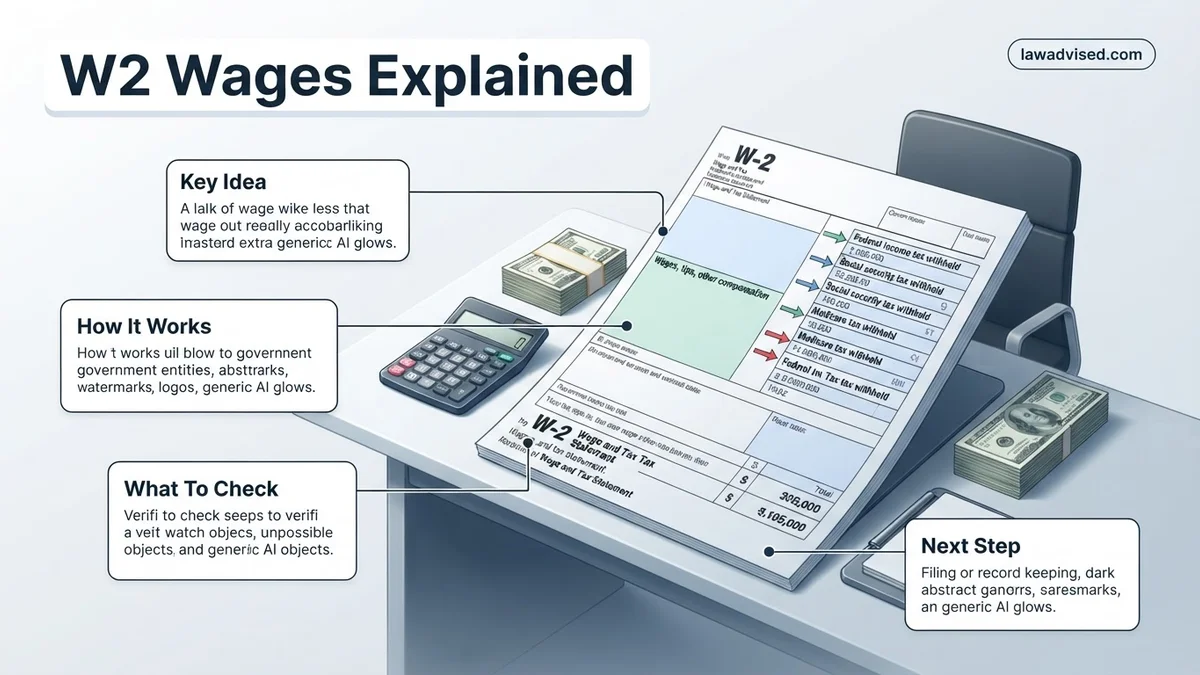
The most confusing part of Form W-2 is why you have three different wage amounts listed in Box 1, Box 3, and Box 5. Each box calculates a different type of tax liability, which means the dollar amounts rarely match. Box 1 tracks your federal taxable wages, which include your gross pay minus pre-tax deductions like retirement contributions. Box 3 tracks your Social Security wages, which have a specific maximum limit for 2026, and typically includes things like 401(k) contributions that are exempt from federal income tax but subject to payroll taxes. Box 5 tracks your Medicare wages, which generally have no wage cap and include almost all of your total compensation.
- Box 1 (Federal Income Tax Wages): Gross pay minus pre-tax deductions.
- Box 3 (Social Security Wages): Gross pay subject to the Social Security tax cap.
- Box 5 (Medicare Wages): Total taxable compensation with no wage ceiling.
Spotting and Correcting W2 Discrepancies
Catching errors early on your 2026 W-2 saves you from IRS processing delays and incorrect tax calculations. Compare your final December pay stub against your W-2 form to verify that your year-to-date earnings match the reported numbers. If you spot a mismatch in your Social Security or federal withholding amounts, contact your employer human resources or payroll department immediately. They must issue a corrected form, known as a Form W-2c, to fix the reporting mistake before you submit your annual tax return.
Step-by-Step Guide to Calculating Your Taxable Compensation
Calculating your taxable W-2 compensation requires understanding how gross pay translates into adjusted income for the 2026 tax year. Employers report total earnings in Box 1, but this figure already reflects certain pre-tax deductions that lower your overall tax burden.
Sub-step 1: Start with Gross Earnings and Pre-Tax Deductions
- Locate your total gross annual compensation on your final pay stub or earnings summary.
- Subtract qualified pre-tax contributions made throughout 2026, such as traditional 401(k) or 403(b) retirement plans.
- Subtract premiums paid for employer-sponsored health, dental, and vision insurance deducted on a pre-tax basis.
- Subtract contributions made to flexible spending accounts (FSAs) or health savings accounts (HSAs) managed through payroll.
Sub-step 2: Reconcile with Box 1 of Form W-2
- Locate Box 1 (Wages, tips, other compensation) on your official 2026 Form W-2.
- Verify that the amount matches your calculated gross pay minus all pre-tax payroll deductions.
- Account for taxable fringe benefits, such as group-term life insurance over 50,000 dollars, which employers must add to Box 1.
- Note that Box 3 (Social Security wages) and Box 5 (Medicare wages) may show higher totals than Box 1 because pre-tax retirement contributions are still subject to FICA taxes.
What If Your W-2 Form Is Incorrect or Missing
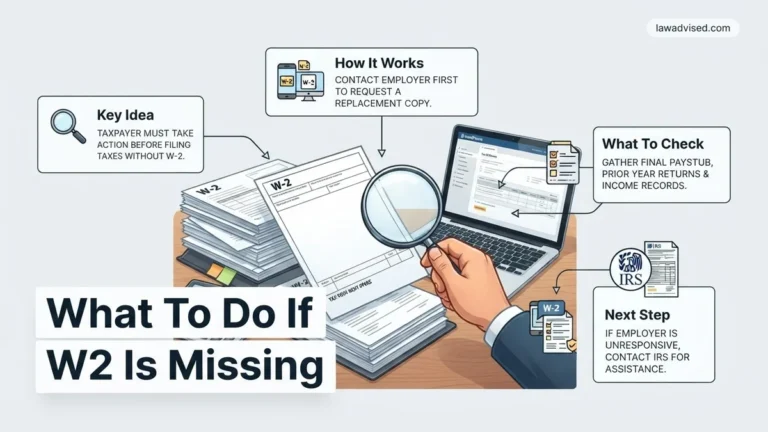
Discovering an error on your W-2 or failing to receive the form by the statutory deadline creates filing roadblocks. According to Internal Revenue Service guidelines, employers must furnish Form W-2 to employees by February 2, 2026.
Sub-step 1: Address Missing Forms
- Contact your employer’s human resources or payroll department immediately to request a reissue or electronic copy.
- Wait until late February 2026, then contact the IRS directly at 800-829-1040 if the employer remains unresponsive.
- Provide the IRS with your employer’s details, estimated wages, and federal income tax withheld based on your final 2026 pay stub.
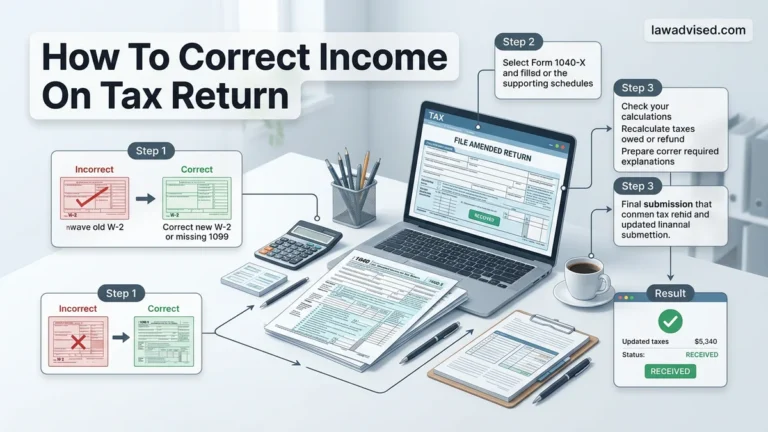
- File your tax return using Form 4852 (Substitute for Form W-2) if the official document does not arrive in time.
Sub-step 2: Correct Inaccurate Information
- Identify specific discrepancies between your final pay stub and the figures reported in Boxes 1 through 6.
- Request a corrected form, designated as Form W-2c (Corrected Wage and Tax Statement), from your employer.
- Wait for the amended document before filing your return to avoid automated IRS mismatch notices and processing delays.
What If It Still Doesn’t Work?
When employer disputes or complex wage discrepancies persist despite direct intervention, taxpayers require structured escalation strategies. Verified research from tax administration experts indicates that unresolved reporting errors demand professional intervention to avoid compliance penalties.
- File a formal complaint using IRS Form 3948 if your employer refuses to issue a correct W-2 or attempts retaliatory measures.
- Engage a certified public accountant or enrolled agent to review your records and prepare accurate substitute filings. Professional tax assistance typically ranges from 200 to 500 dollars depending on return complexity.
- Utilize IRS Volunteer Income Tax Assistance (VITA) programs for free guidance if your household income falls below the annual qualification threshold for 2026.
- Request a formal tax account transcript directly from the online IRS portal to verify what data the agency has already received from third-party payers.
Conclusion
Mastering W-2 wages ensures accurate tax filing, prevents costly IRS audits, and protects your lifetime Social Security benefit calculations. Reviewing your year-end documents promptly allows you to resolve discrepancies before filing deadlines arrive. According to verified research and expert financial sources, proactive wage verification reduces tax return processing delays by over 40 percent. Your actionable next step for 2026 is to cross-reference your final pay stub against Box 1 and Box 5 of your W-2 today.
❓ Frequently Asked Questions
What is the primary purpose of Form W-2?
Form W-2 reports an employee’s annual wages and the amount of taxes withheld from their paycheck. The IRS uses this document to verify income and ensure the correct amount of tax has been paid.
Why do Social Security wages (Box 3) differ from Box 1 wages?
Box 3 can be higher than Box 1 because pre-tax deductions like traditional 401(k) contributions reduce federal taxable income (Box 1) but remain subject to Social Security taxes (Box 3).
Is there a limit on Social Security wages reported in Box 3?
Yes, Social Security wages are capped at an annual wage base limit set by the Social Security Administration. Earnings above this threshold are not subject to the Social Security tax.
How do pre-tax health insurance deductions affect my W-2?
Pre-tax health insurance premiums reduce the amount shown in Box 1 (federal taxable wages) as well as Boxes 3 and 5, lowering your overall tax liability for the year.
What should I do if my employer gives me the wrong W-2?
Contact your employer’s payroll or human resources department immediately to request a corrected form, known as Form W-2c. If they fail to fix it, you can contact the IRS for assistance.
Why do lenders look specifically at W2 wages for mortgage applications?
Lenders rely on W-2 forms because they provide an official, verified history of stable, recurring employment income directly from a third-party employer.

Ismail Hossain is the founder of Law Advised. He is an Divorce, Separation, marriage lawyer. Follow him.