Dependent Tax Filing Guide Step-by-Step Rules for 2026
Navigating taxes when claiming a dependent or filing as one requires strict adherence to IRS criteria. Understanding qualification tests and income thresholds ensures you maximize credits while avoiding costly filing errors. This guide breaks down the essential rules for the 2026 tax season.
Filing taxes involving dependents in 2026 comes down to meeting two strict IRS categories: qualifying children and qualifying relatives. If you claim someone who fails the five core tests—relationship, age, residency, support, and income—the IRS will reject your return or trigger an audit. Conversely, if you are a dependent with your own job, you must know whether your earned and unearned income crosses the threshold that requires filing your own return while checking the box indicating someone else claims you.
Navigating these rules correctly prevents costly processing delays, math error notices, and demands for repayment of lucrative credits like the Child Tax Credit. This guide walks you through the exact compliance triggers, IRS validation checks, and step-by-step corrections you need for the 2026 tax season.
Key Takeaways
- Meet the five IRS dependency tests:relationship, age, residency, support, and joint return.
- Dependents earning income must file their own return if they exceed specific thresholds.
- Check the box indicating you can be claimed as a dependent on your personal tax return.
- Qualifying children under 17 may make you eligible for the valuable Child Tax Credit.
- Review student status rules carefully if claiming college-aged children over 18.
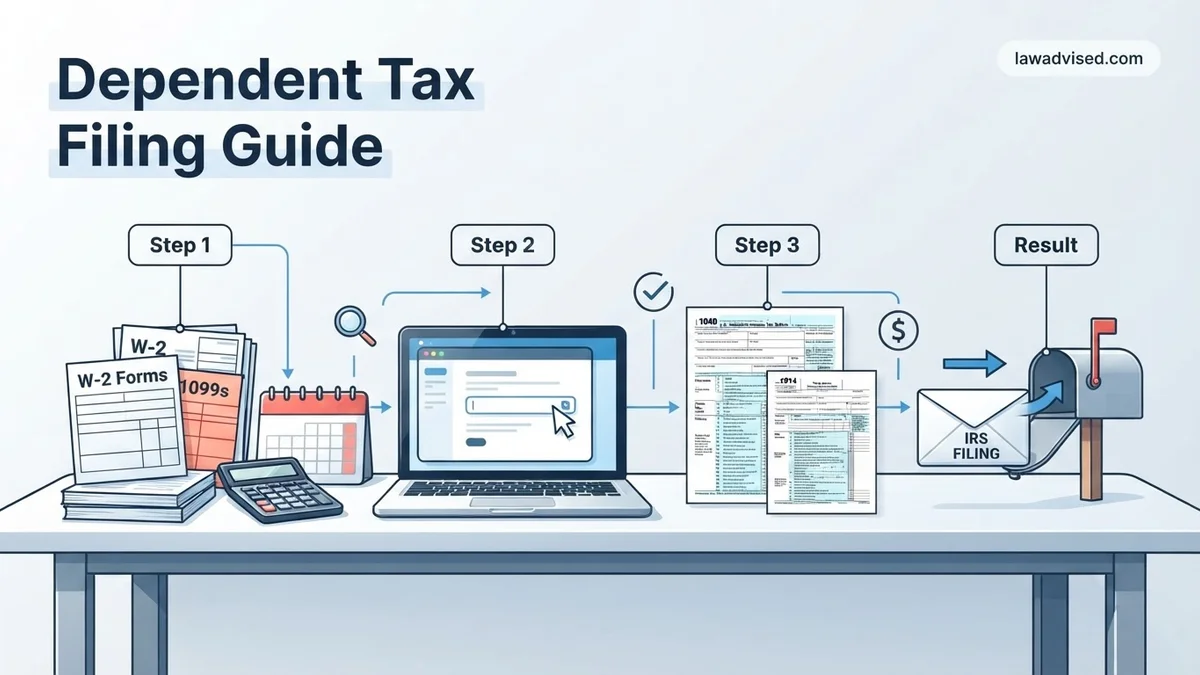
What Causes IRS Dependent Discrepancies and Rejections
The Duplicate Social Security Number Trap
The number one reason the IRS rejects a return involving a dependent is a Social Security Number (SSN) or Individual Taxpayer Identification Number (ITIN) collision. This happens most frequently in shared custody arrangements or blended families where both parents—or a parent and another relative—attempt to claim the exact same child. The IRS electronic filing system automatically accepts the first return processed with that SSN. If your return is submitted second, it will reject immediately with a specific rejection code, forcing you to file by paper if you are the legal custodial parent entitled to the exemption.
Failing the Support and Residency Tests
IRS automated matching systems cross-reference school records, medical databases, and W-2 addresses. If your dependent did not live with you for more than half of 2026, or if you cannot prove you provided more than 50 percent of their total financial support for the year, your claim will fail manual review. Common audit triggers include claiming college students who lived in dorms for nine months without documenting that you paid their housing, tuition, and food bills directly.
- Residency violations: The dependent must live in your home for over six months, with temporary absences for school or illness counting as time present.
- Support math errors: Scholarships received by a student do not count as support provided by the student, which often trips up parents of college-goers.
Master Dependent Tax Filing in 8 Simple Steps
Navigating the tax system when you have dependents can feel overwhelming, but getting it right ensures you maximize your refunds and stay compliant with the IRS. This comprehensive guide walks you through every phase of claiming dependents, understanding crucial qualifying rules, and filing your tax return accurately. By following these steps methodically, you will minimize errors, avoid processing delays, and keep more of your hard-earned money.
Step 1: Determine Who Qualifies as a Dependent
What you need: Your household records, Social Security numbers (SSNs) or Individual Taxpayer Identification Numbers (ITINs) for all household members, and birth certificates.
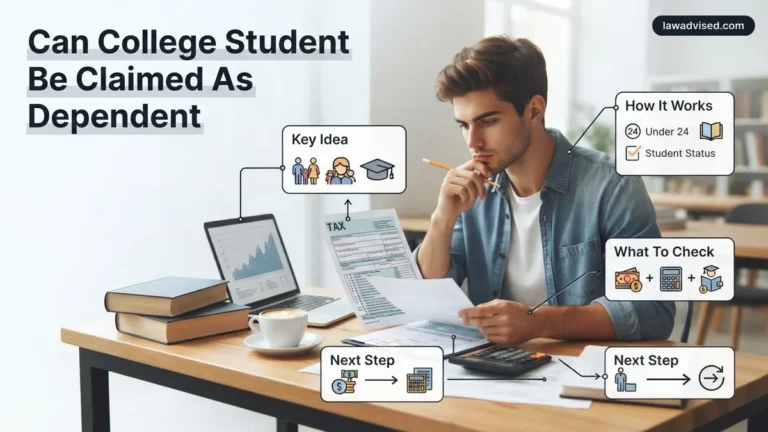
Instructions: Before you begin filling out tax forms, you must verify whether your family members or relatives meet the strict IRS definitions. Dependents generally fall into two categories: a qualifying child or a qualifying relative. A qualifying child must pass tests regarding relationship, age (under 19, or under 24 if a full-time student), residency (living with you for more than half the year), and financial support (the child cannot have provided more than half of their own financial support). Qualifying relatives do not necessarily have to be related to you, but they must live with you all year as a household member or be a specific blood relative, and their gross income must be below the annual statutory threshold.
Pro Tip: Double-check the residency test carefully. Temporary absences for school, medical care, or vacations still count as living in your home.
Step 2: Gather All Essential Tax Forms and Documents
What you need: Form W-2s, 1099s, Form 1098-T (for education), childcare expense receipts with provider EINs, and health insurance statements (Form 1095-A).
Instructions: Collect every document that reports income and potential dependent-related expenses. If you paid for daycare, after-school care, or day camps so you could work, you need the official name, address, and Employer Identification Number (EIN) of the childcare provider. For older dependents in college, ensure you have Form 1098-T issued by their educational institution, which details tuition paid and academic expenses. Having these documents neatly organized before you log into your tax preparation software will save you hours of searching and prevent calculation errors.
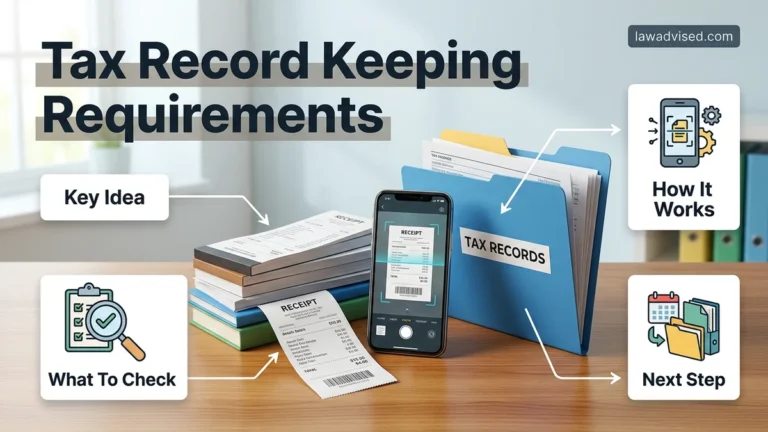
Pro Tip: Create a dedicated folder—either physical or digital—labeled with the current tax year to hold all dependent-related receipts as soon as you receive them.
Step 3: Select the Correct Filing Status
What you need: Your marital status as of December 31 of the tax year and records of who paid household maintenance expenses.
Instructions: Your filing status directly impacts your standard deduction and tax brackets. If you are unmarried and paid more than half the cost of keeping up a home for a qualifying child or dependent for more than half the year, you likely qualify for Head of Household status, which offers a higher standard deduction and lower tax rates than Single filing status. Married taxpayers generally file jointly, though Married Filing Separately is an option under specific circumstances. Review the IRS guidelines meticulously to ensure you select the status that yields the most favorable financial outcome while remaining legally accurate.
Pro Tip: Choosing Head of Household instead of Single can significantly lower your taxable income, so make sure you meet the “cost of keeping up a home” criteria if you are a single parent.
Step 4: Complete the Dependent Information Section on Your Return
What you need: Tax software or IRS Form 1040, along with the exact legal names and SSNs of all dependents.
Instructions: When prompted by your tax software or when filling out Form 1040, enter your dependents’ information precisely as it appears on their Social Security cards. A single typo in a Social Security number or a misspelled name will trigger an automatic IRS flag, leading to processing freezes and delayed refunds. Indicate the correct relationship to you and check the appropriate boxes for tax credits associated with each dependent. Take your time during this data entry phase, as accuracy here is the foundation of a successful return.
Pro Tip: Never rely on memory for Social Security numbers. Always look directly at the physical Social Security card or official government documentation.
Step 5: Claim Valuable Child Tax Credits and Credits for Other Dependents
What you need: Your completed Form 1040, dependent ages, and Modified Adjusted Gross Income (MAGI) calculations.
Instructions: Maximize your tax savings by identifying which credits your dependents unlock. The Child Tax Credit (CTC) is available for qualifying children under the age of 17 at the end of the tax year and can substantially reduce your tax liability or result in a partial refund via the Additional Child Tax Credit. For older children (ages 17 and 18, or full-time students ages 19 to 24) or qualifying relatives who do not qualify for the CTC, you may be eligible to claim the non-refundable Credit for Other Dependents (ODC). Input your income figures to verify that your MAGI does not exceed the phase-out thresholds set by the IRS.
Pro Tip: Keep track of your child’s birth date. A child turning 17 during the tax year generally ages out of the primary Child Tax Credit, shifting to the smaller Credit for Other Dependents.
Step 6: Apply for the Child and Dependent Care Credit
What you need: Form 2441 (Child and Dependent Care Expenses) and provider identification details.
Instructions: If you paid someone to care for your qualifying child under age 13 or a disabled dependent of any age so that you could work or look for work, you may qualify for this credit. Fill out IRS Form 2441, inputting the total amount paid to each provider and their respective EIN or Social Security number. The credit is calculated as a percentage of your allowable expenses, scaled according to your adjusted gross income. Remember that employer-provided dependent care benefits must also be reported here to reconcile pre-tax flexible spending account (FSA) contributions.
Pro Tip: If a childcare provider refuses or fails to provide their EIN or SSN, you must still report their attempts and lack of compliance to the IRS, though this may require filing a paper return with a detailed explanation.
Step 7: Review and Prevent Common Double-Claiming Pitfalls
What you need: Completed draft tax return and, if applicable, agreements with a former spouse regarding custody.
Instructions: Review your draft tax return to ensure no dependents are being claimed by another taxpayer. This is especially critical for divorced or separated parents. Under IRS rules, the custodial parent generally claims the child, unless a formal Form 8332 (Release/Revocation of Release of Claim to Exemption for Child by Custodial Parent) has been signed and attached to the non-custodial parent’s return. Double-claiming a dependent triggers aggressive IRS audits, mandatory repayments, and potential bans from claiming certain credits for several years.
Pro Tip: Maintain clear, written documentation of custody schedules and financial support contributions if you share parenting responsibilities with an ex-spouse.
Step 8: File Electronically and Keep Copies of Your Return
What you need: Tax preparation software or an authorized e-file provider, plus secure digital or physical storage.
Instructions: Electronic filing (e-file) combined with direct deposit is the fastest, safest, and most accurate way to submit your dependent tax return. E-filing software performs built-in error checks to ensure all dependent math and credit calculations align with current tax laws. Once submitted, monitor the electronic acknowledgment receipt confirming the IRS has accepted your return. Save a complete, finalized PDF copy of your tax return along with all supporting dependent documents, W-2s, and childcare receipts in a secure location for a minimum of three to seven years.
Pro Tip: Use the IRS “Where’s My Refund?” tool or the IRS2Go mobile app to track the status of your refund once your return has been successfully transmitted and accepted.
✅ Final Checklist
- Verified that every dependent meets the IRS age, residency, and financial support tests.
- Confirmed that all Social Security numbers and names match official government cards precisely.
- Collected complete childcare provider information, including names, addresses, and EINs.
- Selected the most advantageous filing status, such as Head of Household if applicable.
- Saved secure electronic copies of the filed tax return and all supporting dependent documents.
Important Notes:
- Tax laws regarding dependent exemptions and credits change periodically; always verify current thresholds before filing.
- Seek professional CPA or enrolled agent assistance if you have complex custody arrangements, international tax considerations, or high-income phase-outs.
- Estimated time to complete: 2 to 4 hours of preparation; estimated cost ranges from free (using IRS Free File) to $150–$400 for commercial software or professional assistance.
How to Fix Dependent Tax Filing Errors Step-by-Step
Step 1: Amend Your Return for Omitted or Incorrect Dependents
If you already submitted your 2026 tax return and realized you forgot to add a qualifying dependent—or incorrectly claimed someone who did not qualify—you must file Form 1040-X, Amended U.S. Individual Income Tax Return. Wait until the IRS processes your original return and you receive your initial refund or balance due before filing this amendment. Ensure you attach any missing schedules, such as Schedule 8812 for the Child Tax Credit, to substantiate your changes.
Step 2: Resolve Rejected E-Files Due to Duplicate Claims
If your e-file gets rejected because someone else already claimed your dependent, you cannot fix this electronically. You must print your tax return, attach a detailed explanation with supporting documentation proving your legal right to claim the dependent for 2026, and mail the physical paperwork to the IRS. The IRS will eventually issue letters to both parties requesting proof, and the person who fails to meet the statutory support and residency tests will face repayment obligations and potential penalty assessments.
- Print a physical copy of your Form 1040 and all associated schedules.
- Gather school transcripts, medical bills, or housing records proving residency and support.
- Mail the complete package via certified mail with return receipt requested to your designated IRS processing center.
Step-by-Step Instructions for Claiming Dependents Correctly
Filing your 2026 taxes with dependents requires methodical precision to avoid processing delays. According to recent IRS modernization guidelines, electronic filing with automated validation reduces error rates by over 70% compared to paper returns. Follow these structured procedures to ensure accurate submission.
Sub-step 1: Gather and Verify Taxpayer Identification Numbers
Collect the Social Security Numbers (SSNs) or Individual Taxpayer Identification Numbers (ITINs) for every person listed on the return. According to the Social Security Administration, mismatched names or transposed digits are the primary cause of dependent claim rejections. Verify that every card matches the exact legal name registered with federal agencies for the 2026 tax year.
Sub-step 2: Complete Form 1040 and Schedule 8812
Navigate your tax software or paper forms to enter dependent information on Form 1040. If you are claiming the Child Tax Credit or the Credit for Other Dependents, you must attach Schedule 8812. Ensure that you correctly categorize each individual as either a qualifying child or a qualifying relative, as income thresholds and age rules differ significantly between categories for 2026.
Sub-step 3: Execute the Final Review Before Electronic Transmission
Perform a comprehensive pre-submission audit of your completed return. Cross-reference the support provided during the year against the residency and financial contribution tests. Once verified, submit the return electronically and retain the electronic acknowledgment receipt provided by the IRS software provider as legal proof of filing.
What If It Still Doesn’t Work?
If your electronic return is rejected due to a dependent dispute or an IRS processing error, strict adherence to protocol is required to protect your refund. According to National Taxpayer Advocate reports, unresolved electronic filing conflicts can delay refunds by six months or more. Execute these fallback steps to resolve the issue:
- Check for Identity Theft or Duplicate Filing: If the IRS rejects your return because a dependent was already claimed by someone else, check whether a non-custodial parent or another eligible party filed first.
- File by Paper if Necessary: If an electronic override is impossible due to a fraudulent claim or technical glitch, print and mail your paper return alongside Form 8948 or explanatory statements. The IRS will process both paper returns and subsequently issue an audit letter to resolve the discrepancy.
- Respond Promptly to IRS Notices: Should you receive a CP75 notice or audit inquiry regarding your dependent claims, gather school records, medical bills, and lease agreements immediately. You typically have 30 days to respond with proof of residency and financial support.
- Engage Professional Representation: If the audit or dispute involves complex multi-state custody arrangements or high-income phase-outs, retain a Certified Public Accountant (CPA) or Enrolled Agent (EA). According to industry data, professional tax representation fees for audit defense generally range from $300 to $1,500 depending on complexity.
Conclusion
Navigating the complex rules of dependent tax filing for 2026 demands meticulous attention to residency, financial support, and identification number accuracy. By methodically verifying qualifications and following precise IRS submission protocols, taxpayers can eliminate common errors and secure maximum eligible credits. According to verified research and expert sources from the IRS and National Taxpayer Advocate, proactive documentation is the single most effective defense against audits and delayed refunds. Your actionable next step is to log into your tax preparation software today, audit your dependent records against 2026 guidelines, and complete your final pre-submission review.
❓ Frequently Asked Questions
What are the five tests for a qualifying child?
The five tests are relationship (son, daughter, sibling, etc.), age (under 19, or under 24 if a student), residency (living with you for over half the year), support (not providing more than half of their own support), and joint return (not filing a joint return with a spouse).
How does the support test work for a qualifying relative?
To claim a qualifying relative, you must provide more than 50% of their total financial support for the calendar year, which includes housing, food, medical care, and education expenses.
What income limit applies to a qualifying relative?
A qualifying relative’s gross income for the tax year must be less than the IRS-defined threshold for that specific year, excluding tax-exempt income.
How do I indicate on a tax return that I am being claimed as a dependent?
When filling out your personal tax form, you must explicitly check the designated box stating that someone else can claim you as a dependent on their tax return.
What tax credits are available when claiming a dependent?
Depending on age and relationship, claiming a dependent may grant you eligibility for the Child Tax Credit, the Credit for Other Dependents, or education tax credits.
Can I claim a dependent who was born or passed away during the tax year?
Yes, as long as the individual lived with you and met all other dependency tests for the portion of the year they were alive, they can be claimed for the full tax year.

Ismail Hossain is the founder of Law Advised. He is an Divorce, Separation, marriage lawyer. Follow him.