How W4 Affects Paycheck 2026 Expert Guide to Tax Withholding
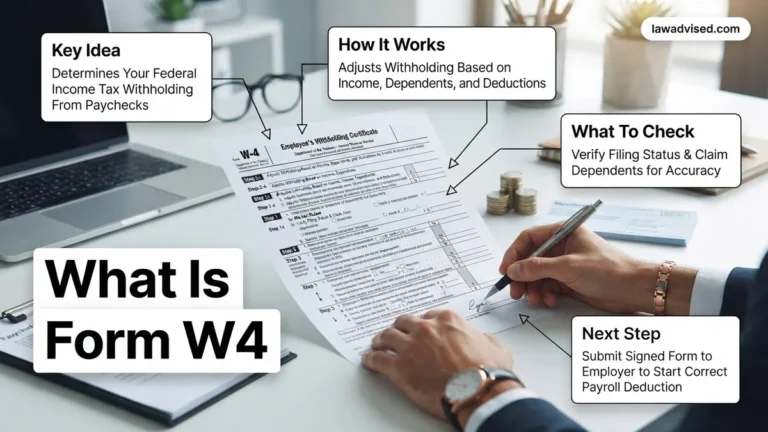
Your IRS Form W-4 directly dictates how much federal income tax is withheld from your gross earnings before they reach your bank account. Adjusting your selections changes your immediate cash flow, meaning larger paychecks today can result in smaller tax refunds or unexpected bills next April.
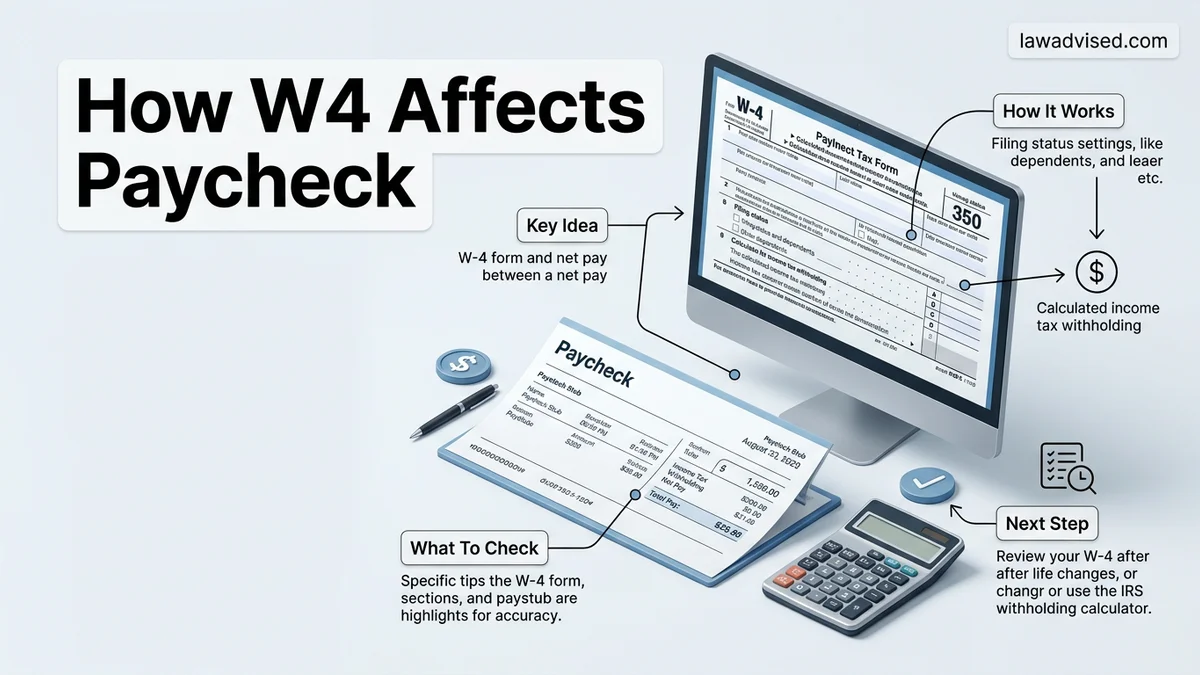
Your Form W-4 dictates the exact amount of federal income tax your employer withholds from your gross earnings every pay period. When you adjust this form, you immediately alter your net take-home pay. Increase your withholding, and your immediate paycheck shrinks while your potential tax refund grows. Decrease your withholding, and more cash hits your bank account today, which prevents you from giving the IRS an interest-free loan through 2026.
Understanding this mechanic is vital for your personal cash flow management. Most people treat the W-4 as a one-time onboarding document, but life changes—like salary increases, second jobs, or new dependents—mean your current withholding rate is likely misaligned. Reviewing and updating your W-4 ensures you keep control of your liquidity without facing a massive, unexpected tax bill when you file your return.
Key Takeaways
- Claiming more dependents reduces your federal income tax withholding, immediately increasing your net take-home pay.
- Adding an extra dollar amount to Step 4(c) increases your withholding and shrinks your paycheck.
- A larger paycheck now means a smaller tax refund or a potential tax bill later.
- Updating your W-4 after major life events prevents unexpected tax season surprises.
- Step 2 adjustments ensure accurate withholding for dual-income households to avoid under-withholding.
What Causes W-4 Adjustments to Alter Your Net Pay
The IRS redesigned the W-4 to eliminate traditional withholding allowances. Instead, it relies on specific steps that target your exact financial situation. Every entry you make in Steps 2 through 4 tells your payroll department how aggressively to tax your gross wages.
Step 2 and Step 3 Impact on Take-Home Pay
Step 2 handles multiple jobs or working spouses. If you check the box in Step 2(c) or use the IRS estimator, your employer applies a higher tax bracket to your earnings. This increases the per-paycheck federal withholding, reducing your net pay to prevent under-withholding at year-end. Conversely, Step 3 directly increases your net take-home pay by claiming credits for dependents. Each qualifying child under 17 adds a direct credit that reduces your overall tax liability, meaning your employer withholds less federal tax per paycheck.
Step 4 Adjustments for Income, Deductions, and Extra Withholding
Step 4 allows you to fine-tune your paycheck with surgical precision:
- Step 4(a) Other Income: Entering non-wage income (like freelance earnings or dividends) tells your employer to withhold extra tax per paycheck, lowering your net pay.
- Step 4(b) Deductions: Claiming itemized deductions above the standard 2026 threshold reduces your taxable income per pay period, directly increasing your net take-home pay.
- Step 4(c) Extra Withholding: Adding a flat dollar amount here acts as a forced deduction, immediately shrinking your net pay to guarantee a tax refund.
Master Form W-4 in 6 Simple Steps
Navigating tax withholding can feel overwhelming, but understanding how your W-4 affects your paycheck is essential for financial health. Whether you recently started a new job, got married, or simply want to stop giving the government an interest-free loan through massive tax refunds, taking control of your Form W-4 allows you to optimize your take-home pay. This guide breaks down the form section by section, ensuring you can accurately adjust your withholding to avoid surprise tax bills at year-end.
Step 1: Gather Your Financial Documents
What you need: Your most recent pay stub, last year’s federal tax return, and details about any secondary income sources or spouse’s earnings if you file jointly.
Instructions: Before you even look at a blank W-4 form, you must collect your historical tax data. Pull out your prior year Form 1040 to see your total tax liability, effective tax rate, and standard deductions. Review your current pay stub to understand your gross earnings and how much federal income tax is currently being withheld. If you have a side hustle, investments, or a working spouse, make a note of their estimated annual income as well. Having these numbers readily available prevents guesswork and ensures your new withholding calculations are grounded in your actual financial reality rather than hopeful estimates.
Pro Tip: Never rely on memory for past tax data; a single transposed number from last year’s return can completely skew your current withholding calculations.
Step 2: Complete Personal Information (Step 1)
What you need: Your legal name, current home address, Social Security Number, and your correct filing status (Single, Married filing jointly, Head of household).
Instructions: Navigate to Step 1 of the W-4 form, which requires your basic demographic data. Your filing status is particularly critical because it directly dictates your standard deduction amount and tax bracket thresholds. If you choose “Head of household,” ensure you actually qualify based on IRS guidelines, such as paying more than half the cost of keeping up a home for a qualifying dependent. Double-check that your Social Security Number matches your official card to avoid processing delays with your employer’s payroll department. Even a minor typo here can result in mismatched records at the Social Security Administration and delayed tax processing.
Pro Tip: Your W-4 filing status does not strictly have to match your actual year-end tax filing status, though matching them usually provides the most accurate withholding.
Step 3: Account for Multiple Jobs or Working Spouses (Step 2)
What you need: Income estimates for all jobs in your household, and access to the IRS Tax Withholding Estimator tool or the specialized table on page 3 of the W-4.
Instructions: Step 2 is where many taxpayers make mistakes that lead to under-withholding. If you hold more than one job at a time, or if you file a joint return and your spouse also works, you must account for the combined household income. The IRS provides three methods to handle this: using the online Tax Withholding Estimator for maximum precision, using the Multiple Jobs Worksheet on page 3, or simply checking the box in Step 2(c) if there are only two jobs total in the household. Checking the box splits standard deductions and tax brackets evenly between the two jobs, which works well if both jobs pay roughly the same amount.
Pro Tip: If one spouse earns significantly more than the other, using the checkbox method (Step 2c) may result in under-withholding; use the online estimator instead for skewed income splits.
Step 4: Claim Dependents and Tax Credits (Step 3)
What you need: The number of qualifying children under age 17, the number of other eligible dependents, and estimates of your Child Tax Credit and Credit for Other Dependents.
Instructions: Step 3 helps you reduce your overall tax withholding by accounting for valuable tax credits like the Child Tax Credit. Multiply the number of qualifying children under 17 by $2,000, and multiply other eligible dependents (such as elderly parents or older children in college) by $500. Add these amounts together and enter the total on the line provided in Step 3. The payroll department will then factor this total into your withholding calculation, directly increasing the size of each paycheck by reducing the amount of federal income tax withheld from your earnings throughout the year.
Pro Tip: Only claim dependents here if you are legally eligible to claim them on your upcoming tax return to avoid owing a hefty penalty and back taxes next April.
Step 5: Adjust for Other Income, Deductions, or Extra Withholding (Step 4)
What you need: Estimates for non-wage income (interest, dividends, retirement income), itemized deduction projections, and your desired extra withholding dollar amount.
Instructions: Step 4 allows you to fine-tune your paycheck for unique financial situations. Subpart 4(a) is for other income not from jobs, such as taxable interest or dividends, which increases your withholding. Subpart 4(b) is for deductions other than the standard deduction, such as itemized deductions or student loan interest, which decreases your withholding. Finally, Subpart 4(c) is the safety net where you can request a specific extra dollar amount to be withheld from every single paycheck. This is the ultimate tool if you prefer getting a guaranteed refund or know you have complex tax liabilities not covered elsewhere.
Pro Tip: If you hate surprises at tax time, adding even a modest extra dollar amount in Step 4(c) acts as an automatic buffer against under-withholding.
Step 6: Review, Sign, and Submit to Payroll
What you need: Your completed W-4 document (physical paper copy or access to your employer’s digital HR portal like Workday, ADP, or Gusto).
Instructions: The final step is execution and verification. Review every section of your newly completed Form W-4 to ensure math totals are correct and all necessary boxes are checked. Sign and date the form in the designated signature area—an unsigned W-4 is legally invalid and your employer will reject it. Submit the physical document to your human resources or payroll department, or upload the digital equivalent through your employee self-service portal. Keep a digital or physical copy for your personal financial records so you can reference it when your next pay stub arrives.
Pro Tip: Check your very next pay stub after submission to confirm that the payroll department successfully processed your new withholding elections.
✅ Final Checklist
- Verified that your personal information, address, and Social Security Number are completely accurate
- Accounted for all household jobs and working spouse income properly in Step 2
- Calculated dependent tax credits accurately without inflating eligibility
- Added extra withholding or accounted for non-wage income if applicable
- Signed, dated, and successfully submitted the form to your payroll department
Important Notes:
- Falsifying tax withholding information on a W-4 to evade taxes can result in severe legal penalties and IRS fines.
- Seek help from a certified public accountant (CPA) or financial planner if you have complex investments, self-employment income, or substantial capital gains.
- Estimated time to complete: 15 to 30 minutes. Cost: Free (using IRS tools and forms).
How to Calculate Your Paycheck Impact Using Form W-4
To see how a W-4 change plays out in real numbers, you need to look at a standard semi-monthly pay cycle for a worker earning a typical 2026 salary.
Example 1: Standard Single Setup vs. Adding Dependents
Imagine you earn 3,000 dollars gross per semi-monthly paycheck (72,000 dollars annually) and file as Single with a blank W-4. Your employer withholds approximately 350 dollars in federal income tax, leaving you with 2,650 dollars in net take-home pay.
Now, suppose you update your W-4 in Step 3 to claim one child tax credit of 2,000 dollars for the year. Your employer divides that annual credit across your 24 pay periods, reducing your per-paycheck withholding by roughly 83 dollars. Your federal withholding drops to 267 dollars, and your net take-home pay instantly jumps to 2,733 dollars per paycheck.
Example 2: Adding Extra Withholding for Side Income
Consider a scenario where you pick up freelance work earning about 500 dollars a month, but no taxes are withheld from those gigs. To avoid an underpayment penalty in 2026, you decide to cover those taxes through your main W-2 job.
- You calculate that your freelance side income needs an extra 1,200 dollars in annual taxes.
- You write 50 dollars in Step 4(c) (Extra Withholding) on your employer W-4.
- Your standard federal withholding of 350 dollars increases by that 50-dollar flat addition.
- Your total federal withholding becomes 400 dollars, and your net take-home pay decreases from 2,650 dollars down to 2,600 dollars, successfully covering your side hustle tax liability.
Step-by-Step Guide to Fixing Your Tax Withholding
Adjusting your W-4 form requires a methodical approach to ensure your 2026 take-home pay aligns precisely with your annual tax liability. According to IRS guidelines, updating your withholding can be completed efficiently by following a structured digital or paper process.
Step 1: Gather Your Documentation
Before modifying your form, collect your most recent pay stubs and your prior year tax return. Having these financial records helps you accurately estimate your total household income, eligible deductions, and tax credits for 2026.
Step 2: Utilize the IRS Tax Withholding Estimator
Navigate to the official IRS website and launch the Tax Withholding Estimator tool. Financial experts recommend this interactive calculator because it factors in current tax brackets, standard deductions, and specific 2026 legislative updates to generate exact line-by-line instructions for your W-4.
Step 3: Complete and Submit the New W-4
Log into your employer’s human resources or payroll portal, such as ADP or Workday, to submit your updates electronically. If your company relies on paper forms, print the 2026 W-4, fill out Steps 1 through 5 carefully, and deliver the signed document directly to your payroll department.
What If Your Paycheck Doesn’t Reflect Your W-4 Changes Yet
Payroll adjustments do not always appear on your very next pay stub due to processing lags. If your updated withholding fails to show up after a reasonable timeframe, specific troubleshooting steps can resolve the discrepancy.
1. Verify the Processing Timeline
Allow at least one to two full pay cycles for your employer’s human resources department to process the electronic or paper W-4 submission. Corporate payroll calendars often require advance notice before a cutoff date to implement changes for the current pay period.
2. Confirm Submission with Human Resources
Contact your HR or payroll representative directly to verify that they successfully received and entered your updated W-4 data into the payroll system. Request a confirmation receipt or an updated employee profile snapshot for your records.
3. Review Subsequent Pay Stubs
Examine your federal income tax withholding line item on the following two consecutive pay stubs to detect any incremental changes. If the numbers remain completely static, resubmit your W-4 form through the designated company portal.
What If It Still Doesn’t Work?
If persistent payroll errors prevent your W-4 adjustments from taking effect after multiple pay cycles, escalating the issue requires targeted corrective measures:
- Request a Written Audit: Ask your payroll department for a formal written audit trail showing when your W-4 was logged in their system.
- Consult a Certified Public Accountant (CPA): Schedule a consultation with a licensed tax professional or Enrolled Agent to review your withholding status and employer compliance. Professional tax advisory fees typically range from $150 to $400 depending on complexity.
- File IRS Form 2210: If your employer fails to withhold adequate taxes despite your submitted W-4, consult your CPA about filing Form 2210 to request a waiver for underpayment penalties.
- Make Direct Quarterly Payments: Bypass employer payroll issues entirely by making estimated quarterly tax payments directly to the IRS via IRS Direct Pay.
Conclusion
Managing your Form W-4 is essential for maintaining control over your personal cash flow and avoiding unexpected tax bills. By accurately calculating your anticipated liability and promptly submitting updates, you can optimize your 2026 paycheck. According to verified research from tax compliance experts, reviewing your withholding at least once per year prevents significant financial discrepancies. Take the actionable next step today by logging into your payroll portal to run the official IRS Tax Withholding Estimator.
❓ Frequently Asked Questions
How do changes in Step 2 of the W-4 affect dual-income households?
Step 2 addresses multiple jobs or working spouses. Checking the box or using the estimator increases withholding to prevent the lower tax brackets from being under-utilized, which usually results in smaller individual paychecks.
What happens if I write ‘Exempt’ on my W-4?
Writing exempt means your employer will withhold zero federal income tax from your paycheck, maximizing your take-home pay. However, you must qualify by having zero federal tax liability the previous year and expecting the same for the current year.
Can I change my W-4 at any time during the year?
Yes, you can submit a new Form W-4 to your employer’s HR or payroll department as often as necessary. This is especially helpful after major life changes like marriage, divorce, having a child, or a significant change in income.
How does listing deductions in Step 4(b) impact my paycheck?
Listing itemized deductions higher than the standard deduction reduces your taxable income per pay period. This lowers your federal income tax withholding and immediately increases your net paycheck.
Will my employer notify me when they update my W-4?
Employers generally do not send a special confirmation, but you will see the change reflected in the federal tax withholding line item on your very next pay stub.
What is the fastest way to figure out what to put on my W-4?
The IRS Tax Withholding Estimator on IRS.gov is the most accurate tool. It takes your current pay stub details and provides exact line-by-line instructions to match your desired tax refund or paycheck amount.

Ismail Hossain is the founder of Law Advised. He is an Divorce, Separation, marriage lawyer. Follow him.