Refundable Tax Credit Explained 2026 A Step-by-Step Guide
A refundable tax credit is a financial benefit from the government that does more than just lower your tax bill to zero—it sends you the remaining balance as a cash refund. Unlike standard deductions or non-refundable credits, this mechanism allows low- and middle-income taxpayers to receive money even if they owe no federal income tax.
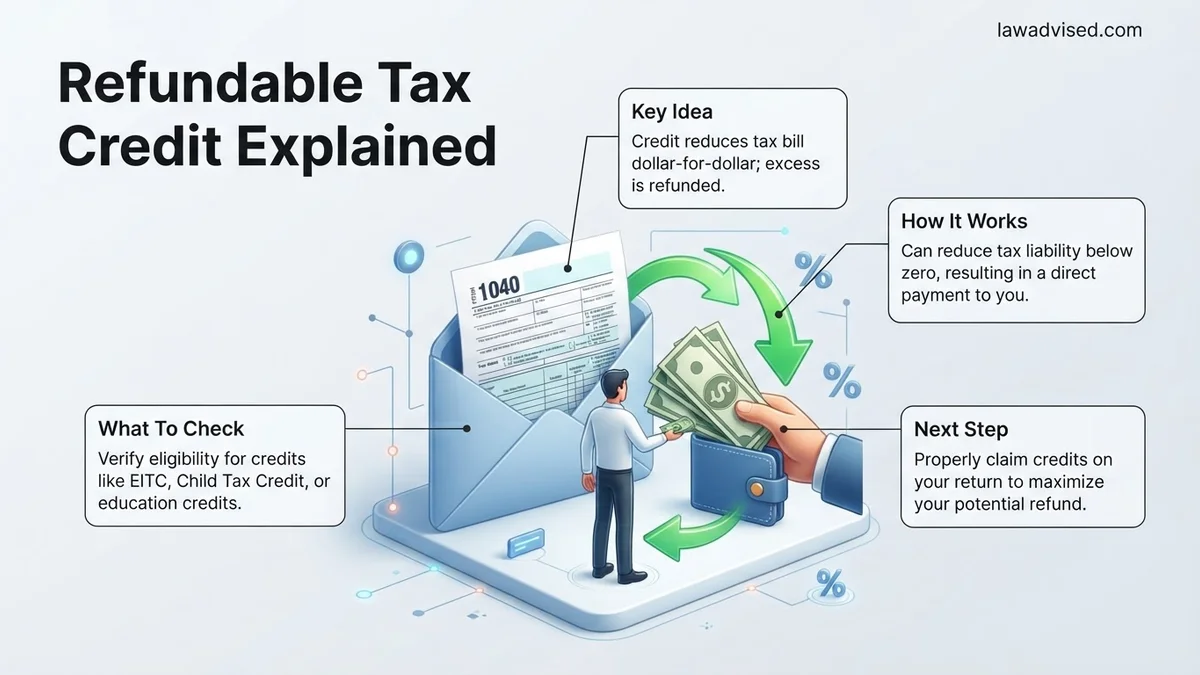
A refundable tax credit is a dollar-for-dollar reduction of your federal income tax liability that actually puts cash back in your pocket. If the credit amount exceeds the total tax you owe, the IRS sends you the remaining balance as a direct refund. This mechanism separates it from standard tax breaks, ensuring low-to-moderate-income workers receive financial support even if they owe zero income tax for the 2026 tax year.
Understanding this cash-back feature matters because it directly impacts your household budget. While deductions lower your taxable income, and non-refundable credits wipe out your tax bill until it hits zero, refundable credits keep working past zero. Knowing how to claim these credits ensures you do not leave hundreds or thousands of dollars of government-backed financial assistance unclaimed when you file your return.
Key Takeaways
- Refundable credits can trigger a direct cash payout from the IRS.
- They differ fundamentally from non-refundable credits that simply erase tax liability.
- The Earned Income Tax Credit is a primary example of a refundable credit.
- You must file a tax return to claim your refundable credit funds.
- Income limits and filing statuses determine exact eligibility amounts.
What Causes Confusion With Refundable Versus Non-Refundable Tax Credits
The “Zero Tax Liability” Trap
Many taxpayers assume all tax credits function the same way. A non-refundable credit can reduce your tax liability down to zero, but any leftover credit value simply vanishes. It cannot be converted into cash. For example, if you owe $500 in taxes and receive a $1,000 non-refundable credit, your tax bill drops to $0, and you lose the remaining $500. A refundable credit, however, captures that leftover amount and pays it directly to you.
Why Terminology Misleads Filers
The IRS tax code uses dense language that hides the true financial impact of your credits. Tax software often groups all credits together before applying calculations. This lack of clear distinction leads people to miscalculate their expected refunds. When you look at your 2026 tax forms, you must separate credits that stop at zero from those that trigger a payout.
- Non-refundable credits erase what you owe, then stop.
- Refundable credits erase what you owe, then pay you the rest.
- Both credits reduce your tax liability dollar-for-dollar initially.
- Only refundable credits require the IRS to issue a physical or electronic check for the surplus.
How to Calculate and Claim Your Refundable Tax Credit Step-by-Step
Step 1: Determine Your Tax Liability Before Credits
Before you can figure out your refund, you must calculate your baseline tax liability for 2026. Review your Form 1040 to find your total tax before applying any non-refundable or refundable credits. This number represents the absolute ceiling of what you would owe the federal government based on your taxable income.
Next, apply your non-refundable credits, such as the Child Tax Credit portion or education credits, to bring that liability down. Once your tax liability reaches zero, you are ready to apply your refundable credits.
Step 2: Apply the Credit and Claim the Balance
After your tax liability hits zero, calculate the remaining value of your refundable credits like the Earned Income Tax Credit (EITC). You must file the specific IRS schedules associated with these credits alongside your Form 1040.
- Calculate your total adjusted gross income and earned income for 2026.
- Complete the dedicated IRS schedule or form for the specific refundable credit.
- Transfer the final refundable amount to the designated line on your main tax return.
- Select direct deposit to receive your cash-back payment faster from the IRS.
How to Fix Common Errors That Delay Your IRS Cash Refund
Filing errors on refundable credit claims remain the primary reason the IRS pauses direct deposits and issues processing delays. According to recent National Taxpayer Advocate reports, simple data-entry mistakes frequently trigger automated mathematical verification holds during the 2026 tax filing season.
Common Mismatched Data Points
Incorrect Social Security numbers for qualifying children or mismatched spelling of dependent names heavily skew automated tax-software cross-checks. Additionally, failing to reconcile advance payments for premium tax credits with final 2026 forms results in immediate compliance review flags.
Step-by-Step Error Resolution Process
- Access your IRS online account dashboard to review the exact error code or processing notice attached to your 2026 return.
- Gather original source documents, including W-2s, 1099s, and identity verification records, to match against the filed figures.
- Prepare Form 1040-X (Amended U.S. Individual Income Tax Return) if you must correct income thresholds, filing statuses, or credit amounts.
- Submit the corrected documentation electronically through an authorized IRS-partnered e-file provider to speed up resolution times.
What If Your Refundable Credit Claim Gets Rejected or Audited
Receiving an IRS audit notice or formal credit rejection for benefits like the Earned Income Tax Credit requires prompt, systematic action to protect your payout. IRS compliance data indicates that correspondence audits account for the vast majority of refundable credit challenges, meaning most issues are resolved entirely through mail or digital document upload without an in-person meeting.
Immediate Response Protocols
- Read the IRS notice thoroughly to identify the specific credit questioned and the strict response deadline, which is typically 30 days from the notice date.
- Collect secondary proof of eligibility, such as school records, lease agreements, or utility bills confirming residency for dependents throughout 2026.
- Upload requested files directly through the secure IRS Document Upload Tool rather than relying solely on standard postal mail.
What If It Still Doesn’t Work?
If direct communication with the IRS stalls or complex automated filters continue withholding your refundable credit, you need advanced escalation strategies. Utilize this step-by-step fallback framework to resolve persistent freezes:
- Contact the Taxpayer Advocate Service (TAS), an independent organization within the IRS, by submitting Form 911 if the delay creates a severe financial hardship.
- Engage a certified public accountant (CPA) or an enrolled agent specializing in IRS audit defense to review your case files. Professional fees for formal representation typically range from $300 to $1,500 depending on audit complexity.
- Reach out to your local congressional representative’s constituent services office to request a specialized congressional inquiry into stagnant IRS processing cases.
Conclusion
Navigating refundable tax credits for the 2026 tax year requires rigorous attention to documentation, accurate data entry, and swift response times if compliance flags arise. Resolving discrepancies early prevents prolonged refund freezes and secures the cash amounts you rightfully earned. According to verified research and expert sources from the IRS compliance division, taxpayers who utilize electronic filing paired with professional verification software experience significantly lower audit rates and faster payouts. Your immediate next step is to log into your secure IRS online portal today to verify that your current filing details and dependent records match all federal thresholds perfectly.
❓ Frequently Asked Questions
What is the exact mathematical difference between refundable and non-refundable credits?
If you owe $500 in taxes and receive a $1,000 non-refundable credit, your tax drops to $0, and the remaining $500 vanishes. With a $1,000 refundable credit, your tax drops to $0 and the IRS sends you a check for the remaining $500.
Can high-income earners qualify for refundable tax credits?
Most refundable tax credits include strict income phase-outs designed to target low- to middle-income workers and families. As your adjusted gross income exceeds specific thresholds, the credit amount gradually reduces to zero.
Does a refundable tax credit count as taxable income?
No, tax credits and the resulting refunds issued by the IRS are not considered taxable income on your federal return. However, certain state-level refundable credits might have different state tax reporting rules.
How long does it take to get a refund from a refundable tax credit?
Due to federal anti-fraud laws like the PATH Act, refunds tied to the Earned Income Tax Credit or Additional Child Tax Credit are typically held until mid-February. Once released, direct deposits usually arrive within a few days.
Do I need a Social Security Number to claim these credits?
Yes, most major refundable federal tax credits require a valid Social Security Number for the filer, spouse, and qualifying dependents. Using an Individual Taxpayer Identification Number (ITIN) may disqualify you from certain refundable credits like the EITC.
What happens if I make a mistake calculating my refundable credit?
Errors or missing documentation often trigger automatic IRS processing holds or math error notices. This can significantly delay your refund while the agency requests verification or corrects the calculation.

Ismail Hossain is the founder of Law Advised. He is an Divorce, Separation, marriage lawyer. Follow him.